
2022 Q3 Product Feature Update

Offer your customers a more interactive and engaging online shopping experience. We have been hard at work innovating and establishing revolutionary new features for retailers and brands. Below are our latest immersive shopping features to elevate your online shopping experience.
What Fits Inside: Update
In our last product feature update, we provided a sneak peek into the What Fits Inside (WFI) feature. The feature has since been improved thanks to relevant feedback obtained from our clients.

The feature now starts with a bag full of items, at 100% capacity. Customers can then interact with the platform and remove items or add different items to the bag. This gives customers an understanding of the capacity of the bag right off the bat without having to add X number of items to reach 100% capacity.
We have also redesigned the way that we represent items within the bag on the platform. Items are now neatly aligned on the screen for a more visually appealing experience. For larger bags that can fit multiple pieces of clothing, the clothes will stack in a neat pile on the screen.
These improvements have increased the usability of the feature for your customers and offer a better overall experience with WFI.
Sharing Feature: Virtual Room Staging
We recently launched a sharing feature for jewelry products and now we are extending the same functionality to furniture and home décor. This virtual room sharing feature allows customers to share the room that they have staged with their friends and family.
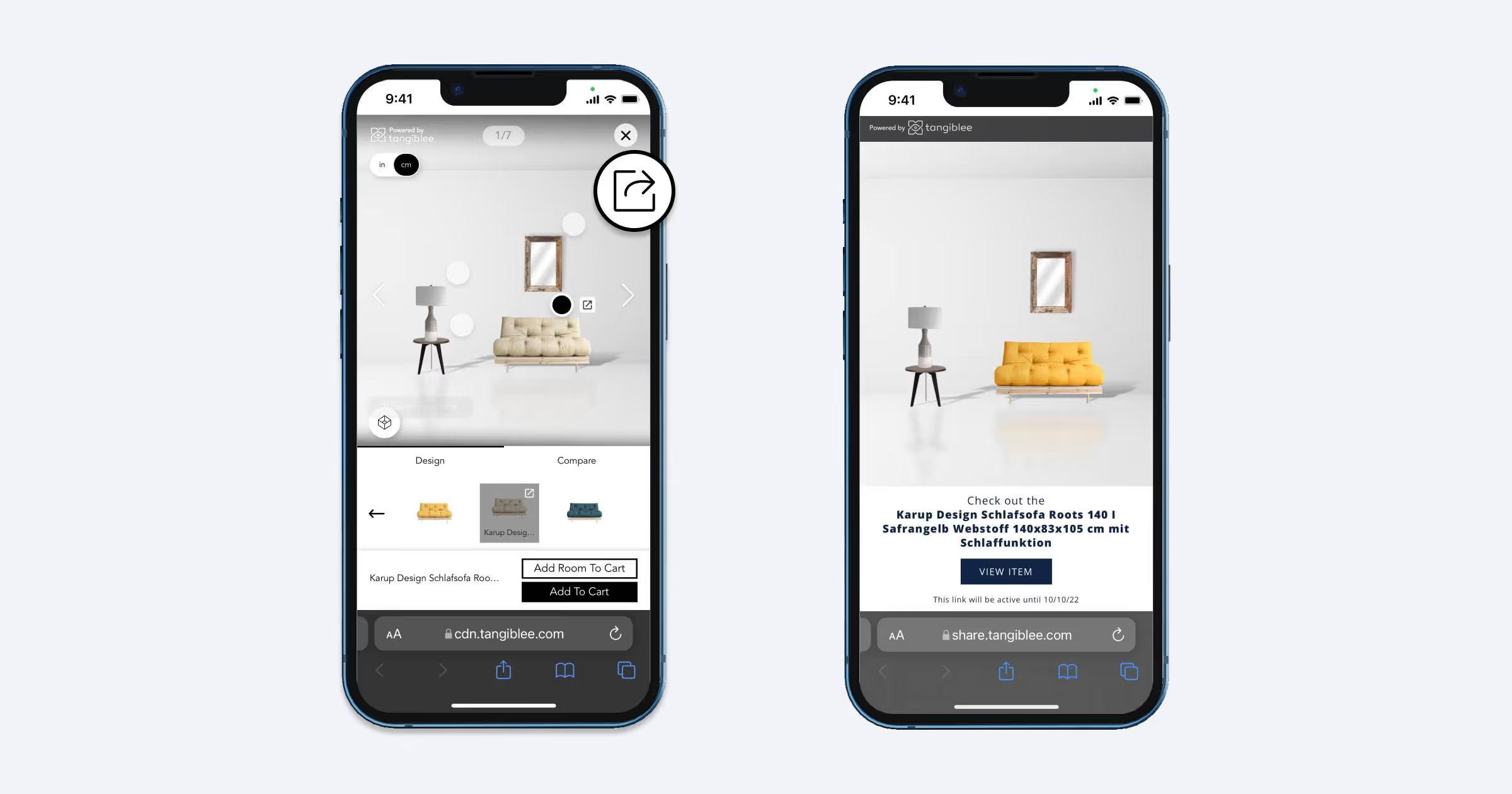
Customers first create their perfect room using the virtual room staging feature. Once they are done, they can share a unique link with others or to reference later for one-click access and purchase. Whoever has the link gets easy access to a landing page where they will be able to see the virtual room and all the products within it. They can then purchase the products directly within that landing page.
Earring Stacking
Our clients have spoken, and we have listened. We have recently added earring stacking to our popular jewelry stacking options, which have previously included bracelet and ring stacking.
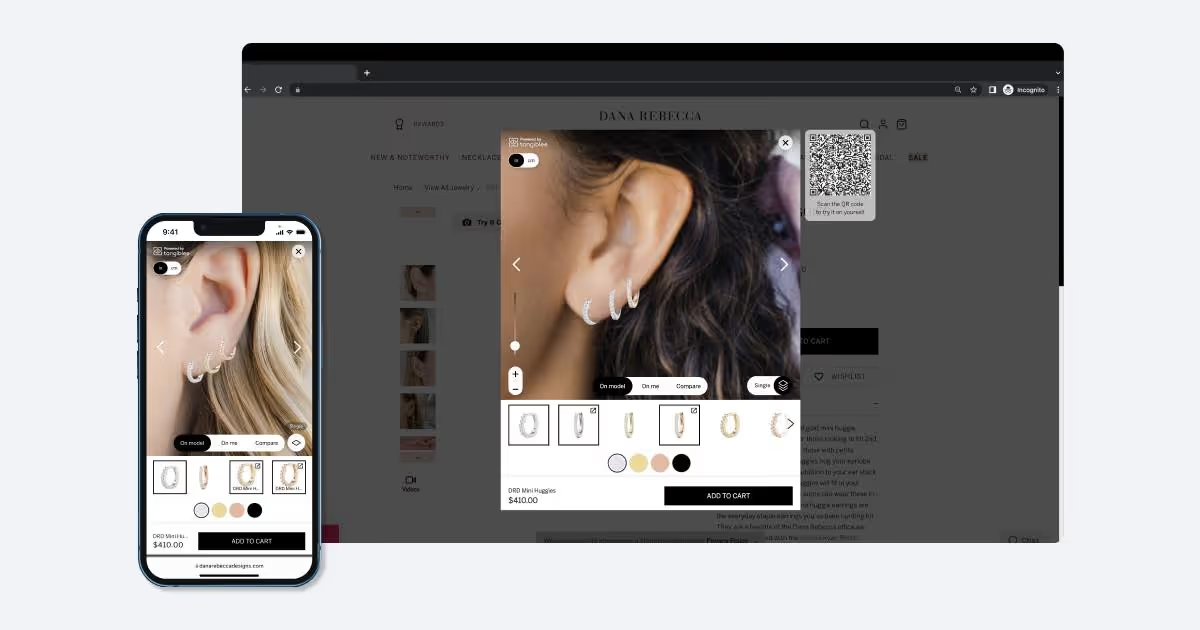
Jewelry retailers can allow their customers to virtually try on multiple earrings at once. Customers can upload or take an auto-capture photo; earrings will automatically and realistically be placed on the customer’s ear. The customer can then move the earring to different touchpoints on their ear.
Customers can then select additional earrings to be added to their ear to create a stacked look. With the dynamic reference items feature, retailers can select custom recommendations to be included in the stacking carousel for each item. This gives the retailers an extra level of personalization within the earring stacking feature.
Flexible Views for the Tangiblee Experience
Until now, the Tangiblee experience on desktop has always appeared on the center of the customer’s screen after the user clicks a Call to Action (CTA) to access our platform. Now retailers have the ability to customize where the Tangiblee experience window appears.
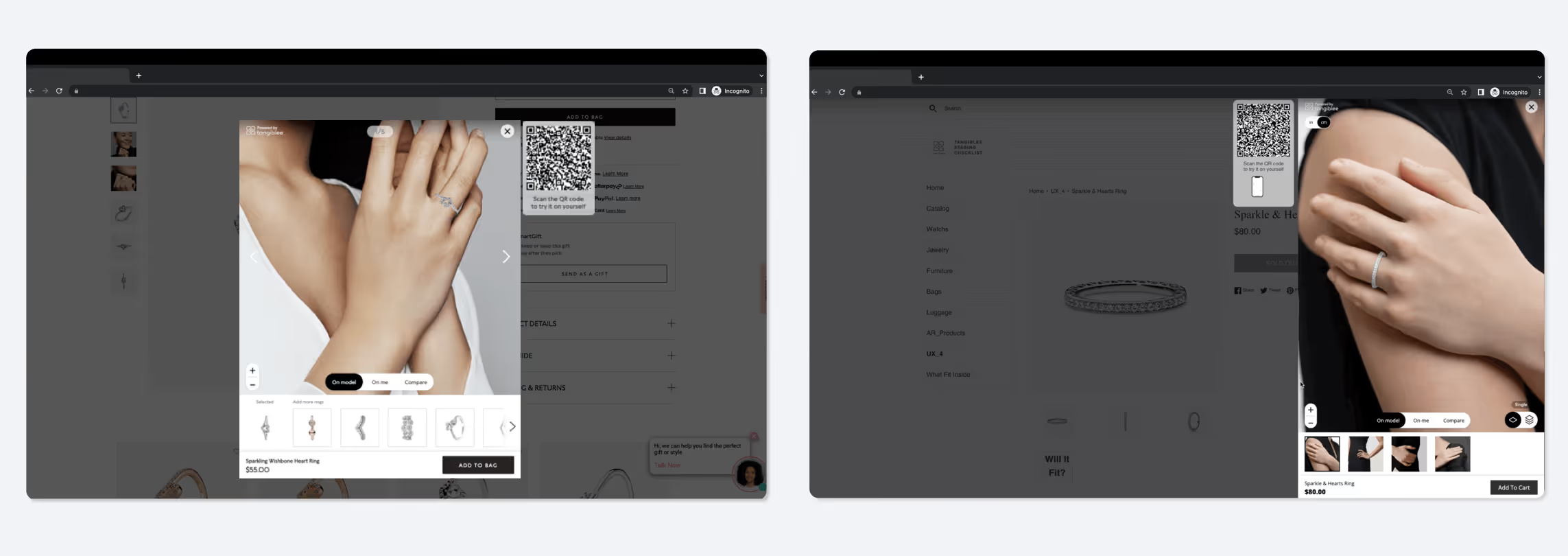
Retailers can now select either side of the screen or the center of the screen for a customized view on their product listing page (PLP).. This allows for further options for retailers to maximize revenue and user experience.
Size and Color Selectors
Currently, a customer is only able to interact with a product of a single color when using Tangiblee. If they want to visualize another color of the same product on a model or themselves or on the model, they have to exit the experience, select the next color, and then re-click Tangiblee’s CTA.

These additional steps can divert the customer from completing their purchase, which is why we have implemented a new size and color selector feature. Customers can now change the color and size of the product they are interacting with within the platform. They can also add to their shopping cart directly from the platform, further minimizing the number of touch-points required to complete their purchase.