
4 Mistakes You're Making With Your Product Imagery
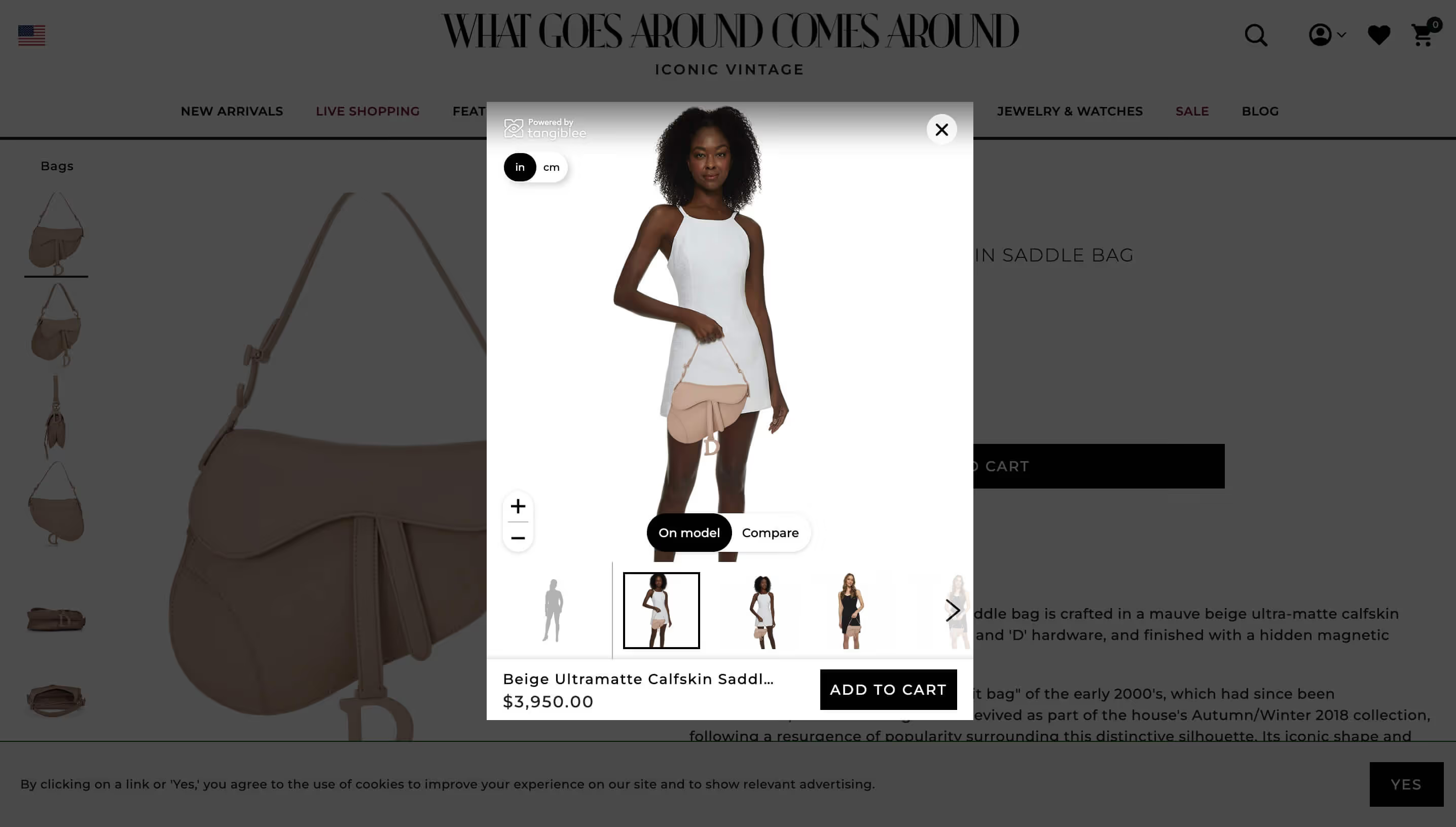
Whether you're selling jewelry, bags, or accessories, your customers need a way to visualize your products on themselves. In a brick-and-mortar store, all you need in order to achieve that is a simple dressing room. On the Internet, it's…a little more complicated.
Most digital retailers still rely entirely on product photography. It's an inelegant solution, and one that suffers from several glaring shortcomings. It also fails to inspire what's arguably the most important feeling when it comes to making a sale — confidence.
"Okay," you're probably thinking. "But what if I've put in the work to create a diverse library of product and lifestyle photography? Surely that should do the trick, right?"
Not exactly. At the end of the day, it doesn't matter how much time, effort, and capital you've poured into your product imagery. If you're still relying solely on photos, there's a good chance you're making one of the following mistakes.
You aren't representing all your shoppers
Most lifestyle models we see online fit a very particular mold. They're tall, they're thin, and they look like they were born in photoshop rather than reality. While we're sure at least some of your customers might fit into that particular demographic, most won't.
That means you're basically forcing them to guesstimate how something will look on them, and if it will even fit — not exactly a great way to ensure buyer confidence.
You're not accurately conveying product size
Most listings for products like handbags and luggage provide shoppers with their measurements and a few photos conveying the product's size relative to either a model or another product. That's not enough information. For most shoppers, it doesn't do any good to know that a handbag has a height of 30 centimeters and a depth of 16.
That doesn't tell them anything about what kind of things actually fit into that handbag, nor does it give them a truly accurate sentiment of how big the handbag would be in person.
You haven't provided enough photos
We get it. Photoshoots are expensive — prohibitively so. You not only have to hire a diverse case of models, but you also need to book a venue, hire a photographer, and pay for editing and touch-ups.
And you need to do that for every single product. That kind of time and capital is well outside the realm of possibility for most retailers, even some of the larger ones. Unfortunately, that often means your customers have to make do with product pages that are severely lacking in variety, often consisting of a few static images of the item on a white background.
There's a distinct lack of interactivity
What do jewelry, handbags, and luggage all have in common with one another?
Shopping for them in-person is a tactile, interactive experience. You can pick them up, see how they look and feel, find out how they fit. Product photos provide precisely none of these experiences.
They're static images on a screen that leave almost everything to the imagination.
Level up your product imagery with Tangiblee
We've spent enough time talking about the limitations of product photography. Let's talk about what you can do instead. See, there's actually a very simple way for you to represent your shoppers, convey sizing, ensure variety and provide interactivity. It's called Tangiblee.
Here's how our immersive augmented reality platform addresses each of the mistakes we've discussed in this piece:
- Let shoppers reflect themselves with Adjustable Silhouettes. These fully-customizable models provide a more realistic understanding of how your products will look on each individual shopper.
- Show customers how they look with Virtual Try-On. Leverage the shopper's camera to let them see firsthand how an accessory looks on them.
- Provide an accurate portrayal of size with Compare To. Increase confidence by allowing customers to compare a product both to other items in your catalog as well as everyday objects.
- Remove guesswork with What Fits Inside? Allow customers to directly visualize the items they can fit inside of a handbag or piece of luggage.
- Build better product pages with Dynamic Lifestyle Imagery. Generate photorealistic lifestyle content using your existing product imagery — no photoshoots required.
Tangiblee makes it easy to create a more engaging, interactive, and ultimately compelling shopping experience. From virtual size comparisons to custom models, our platform allows e-commerce brands to step away from the shortcomings of old-school photography and embrace the future of digital retail. But don't just take our word for it.