
Innovation Spotlight: Deliver a personalized experience for your customers with Dynamic Comparison Items
When shoppers walk through a physical store they often come across items that they weren’t necessarily looking for, and in some cases, they even purchase those items. Store owners strategically place certain items throughout the store to entice their shoppers to purchase more than they originally came in for.
This advantageous placement strategy can be harder to accomplish through an online store. Tangiblee is excited to announce Dynamic Comparison Items, a feature that allows online retailers to curate custom recommendations for their shoppers based on the product they are viewing.

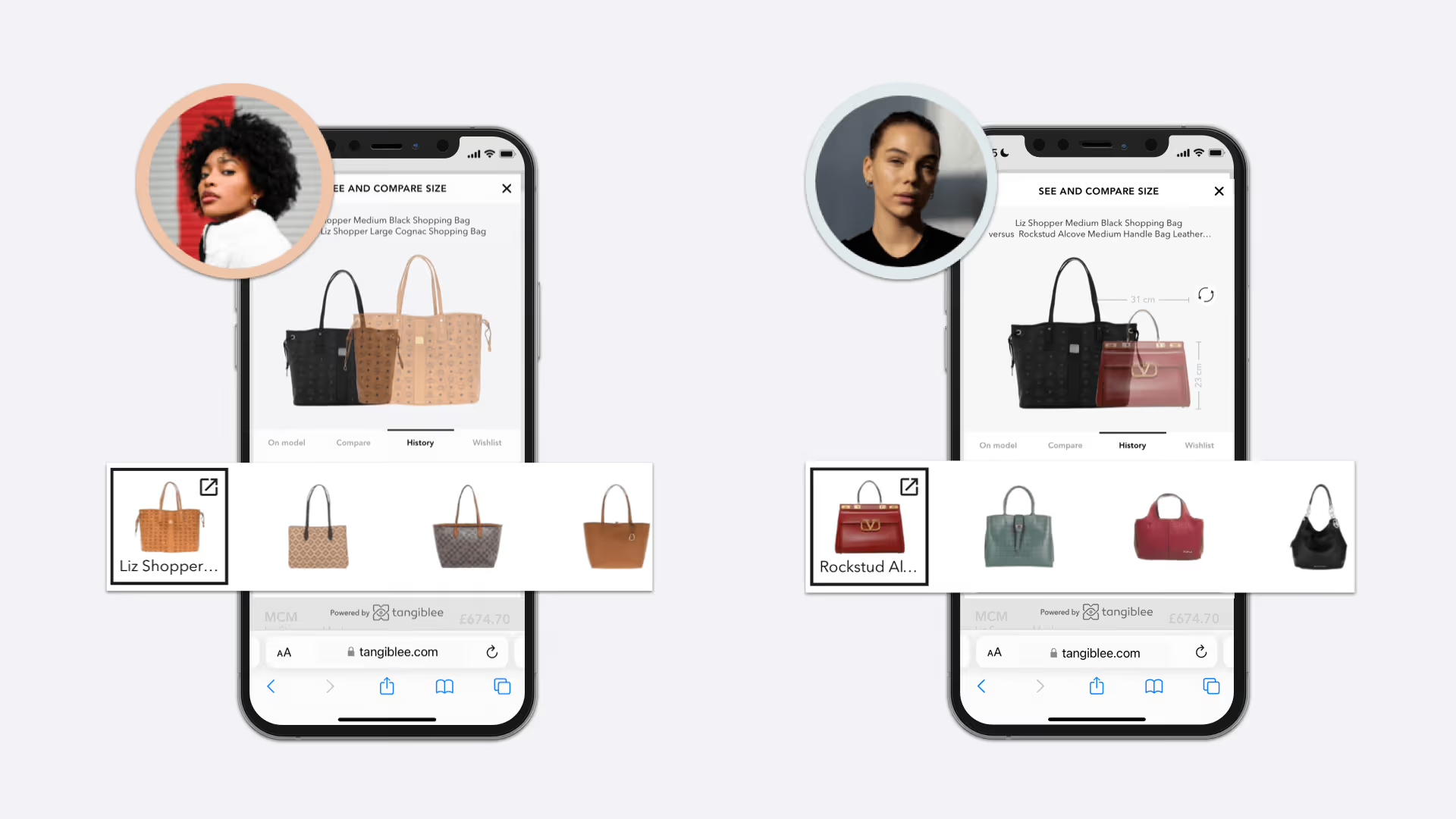
Here’s how it works: Within the Tangiblee solution, shoppers will be presented with a customized list of reference items in the carousel that they can compare, stack or swap with their current item. This allows shoppers to be exposed to other items from the retailer’s catalog without having to scroll through the entire website.
Shoppers can also view their recently viewed and wishlist items within the Tangiblee solution. This creates a seamless experience, alleviating the need for them to navigate back and forth across product pages to compare items. Tangiblee works with your site’s existing recommendation logic to show recommended items based on viewing trends and other personalization data.
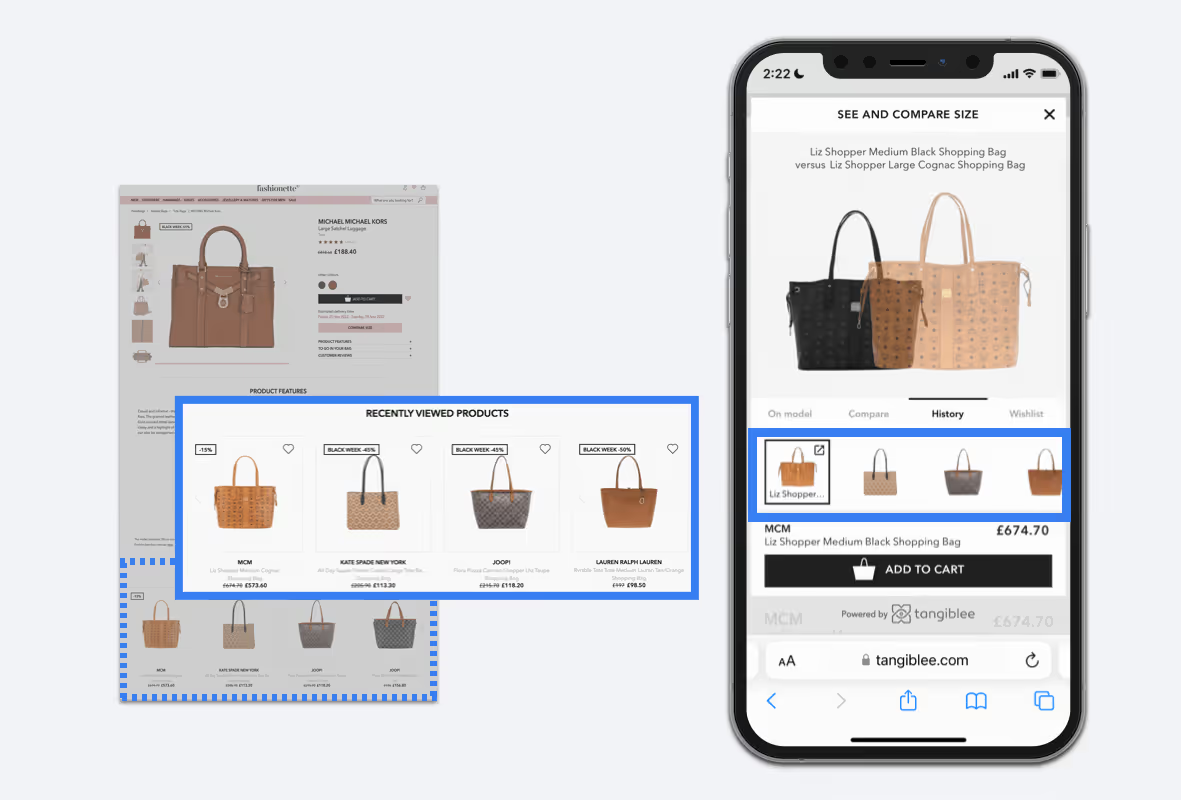
Increase Revenue Per Visitor (RPV) and Average Order Value (AOV) by providing custom recommendations for your shoppers and allowing them to have a consistent online shopping experience.
To learn more about what this feature could mean for your e-commerce site, schedule a free demo here.