
LAUNCHED: Virtual Try-On for Desktop

Last week, we launched Virtual Try-On for Desktop using Mobile Sync which enables users to "try on" jewelry pieces through their desktop device. When a user wants to see an item "On Me" in the Tangiblee widget, a QR code appears. Once scanned, the user is prompted with the Virtual Try-On experience on their mobile and, in real-time, the users' new images are synced to the desktop screen. Users can continue interacting and "try on" more items with either device.
We continue to serve mobile-capture-first VTO experiences but have eliminated friction for desktop users who can now take the very best inputs on their superior mobile devices and interact with the outputs on their preferred desktop device, in real-time.
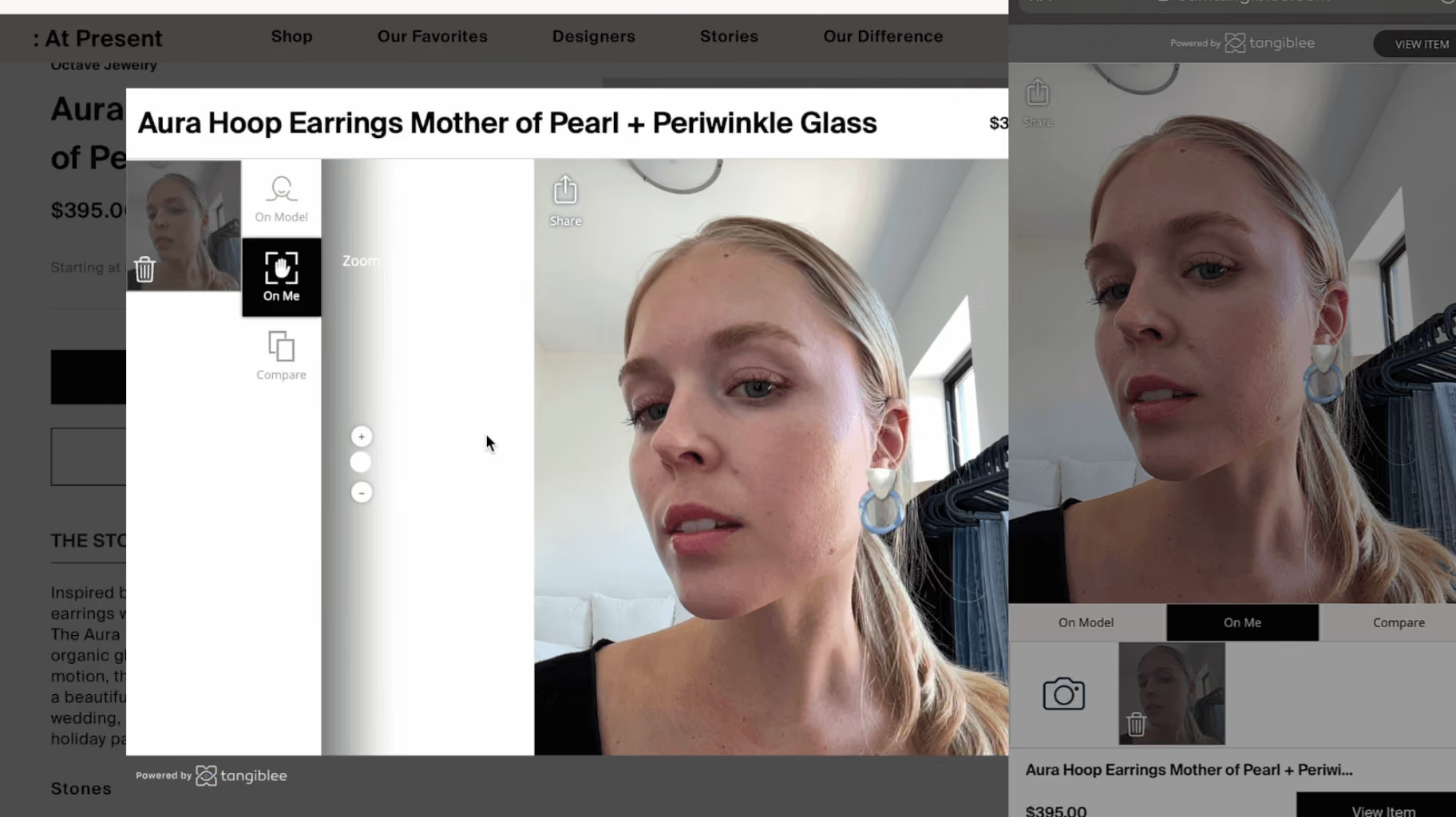
Today, you can experience the feature on AtPresent and Sethi Couture with more websites adding the capability later this month. Check out the video below to see the experience.
Why Mobile Syncing for Desktop
Even though we mentioned our VTO for Desktop with Mobile Sync in a recent article, we think it is important to mention one or two key details that highlight why we chose to use a mobile device for capturing images instead of a 'standard desktop capability' for virtual try-on. Our main focus has been and continues to be providing the best experience for users (front-end) & retailer clients (backend).
Most desktop monitors don't have a built-in camera; and, if a desktop or laptop camera is available, the camera position proves challenging for users. For instance, a camera on a desk requires you to move your entire body to get into the best position, where a laptop sitting in your lap requires you to move the entire laptop.
Additionally, in terms of where to place or hold their hand or wrist in front of the camera lens can be awkward - especially considering the fact that their hand is now blocking a users' view of what's on the actual screen due to the front-facing configuration of desktop cameras.
At the end of the day, users are comfortable and prefer engaging with their mobile camera because it's natural and familiar. And, its portability allows for users to move their body and the camera easily to get the perfect shot.
As we continue developing our Virtual Try-On capabilities, we'll keep sharing those updates here.
Stay tuned for more updates and news regarding our latest product developments.