
Release Notes
Keep up with Tangiblee's latest product updates. Be the first to know when new releases go live.
LB4C: Compatibilidad con Dijes de 2 Puntos en Bolsos
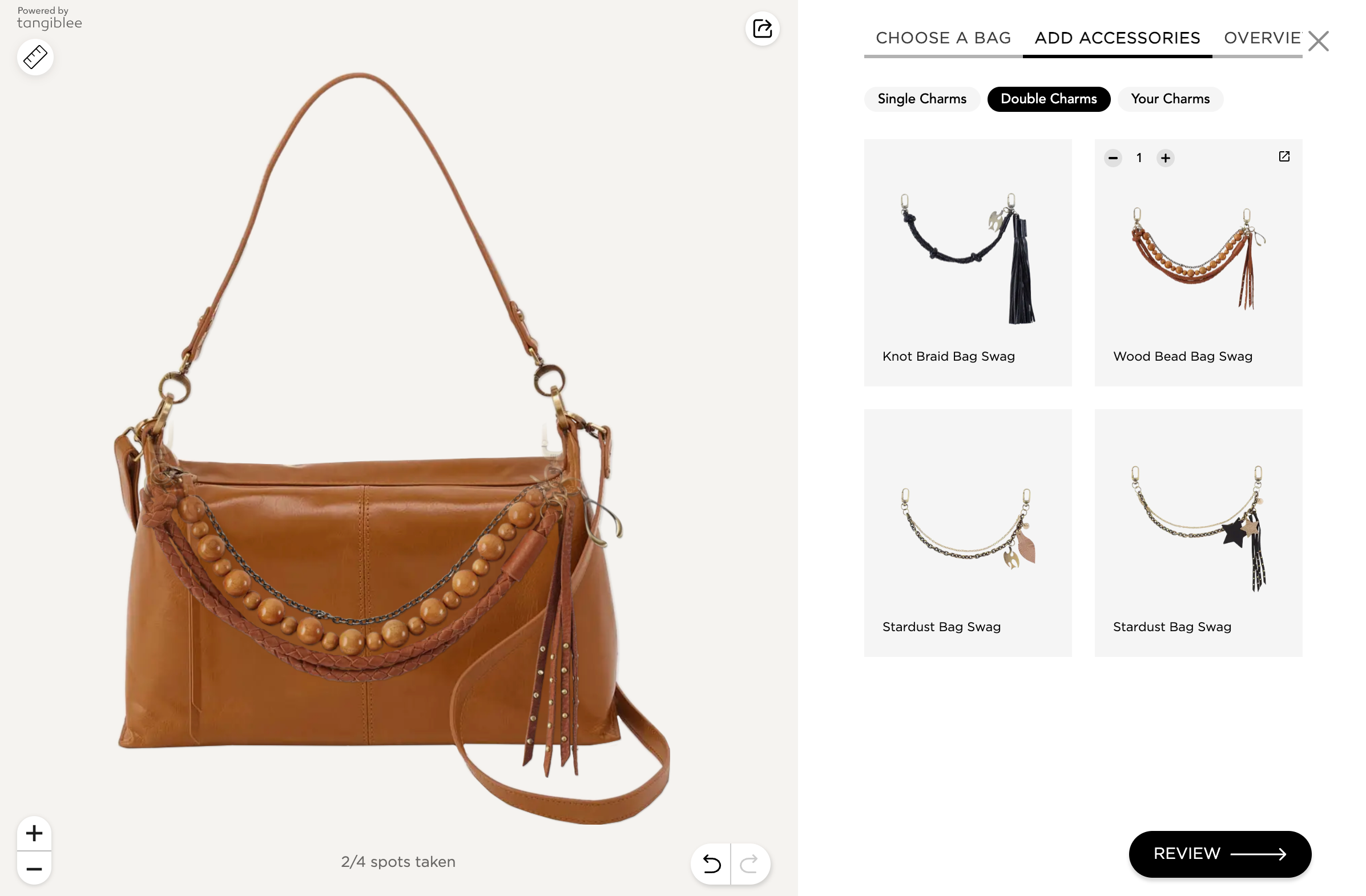
¡Hemos añadido compatibilidad con dijes de 2 puntos / de cadena en bolsos dentro de LB4C! Así es como funciona:
- Marcamos el dije de cadena y añadimos dos puntos a cada lado del asa del bolso
- Calculamos la distancia entre los dos puntos del bolso y la comparamos con la longitud del dije
- Si coinciden (dentro de un margen del ±15 %), el dije se ajusta perfectamente al bolso; si no, lo marcamos como «no encaja»
Esto significa el fin de la coincidencia manual entre bolso y dije de cadena, además de ampliar la compatibilidad de dijes en los catálogos de nuestros clientes.
VTO de Pendientes: Optimización de Precarga Asíncrona
.png)
VTO Clip: Eliminación de Animaciones de Alto Movimiento
Ahora podemos configurar VTO Clip para eliminar las animaciones de alto movimiento y determinados tooltips emergentes, mejorando la comodidad de los compradores con sensibilidad al movimiento y respaldando las buenas prácticas de accesibilidad.
 Ver en Directo
LB4C: En las PDP
Hasta ahora, LB4C para Bolsos ha funcionado como una experiencia sin anclaje. Sin embargo, en las PDP queremos evitar saturar a los usuarios con una lista ilimitada de SKU.
Ahora podemos filtrar automáticamente los SKU y mostrar solo aquellos relevantes para el SKU principal de la PDP y sus variaciones de color y/o talla, garantizando una experiencia más enfocada.
Disponible para las PDP correspondientes


LB4C: Muestras – Portadas con Imagen de Producto, Agrupación y Orden Personalizado
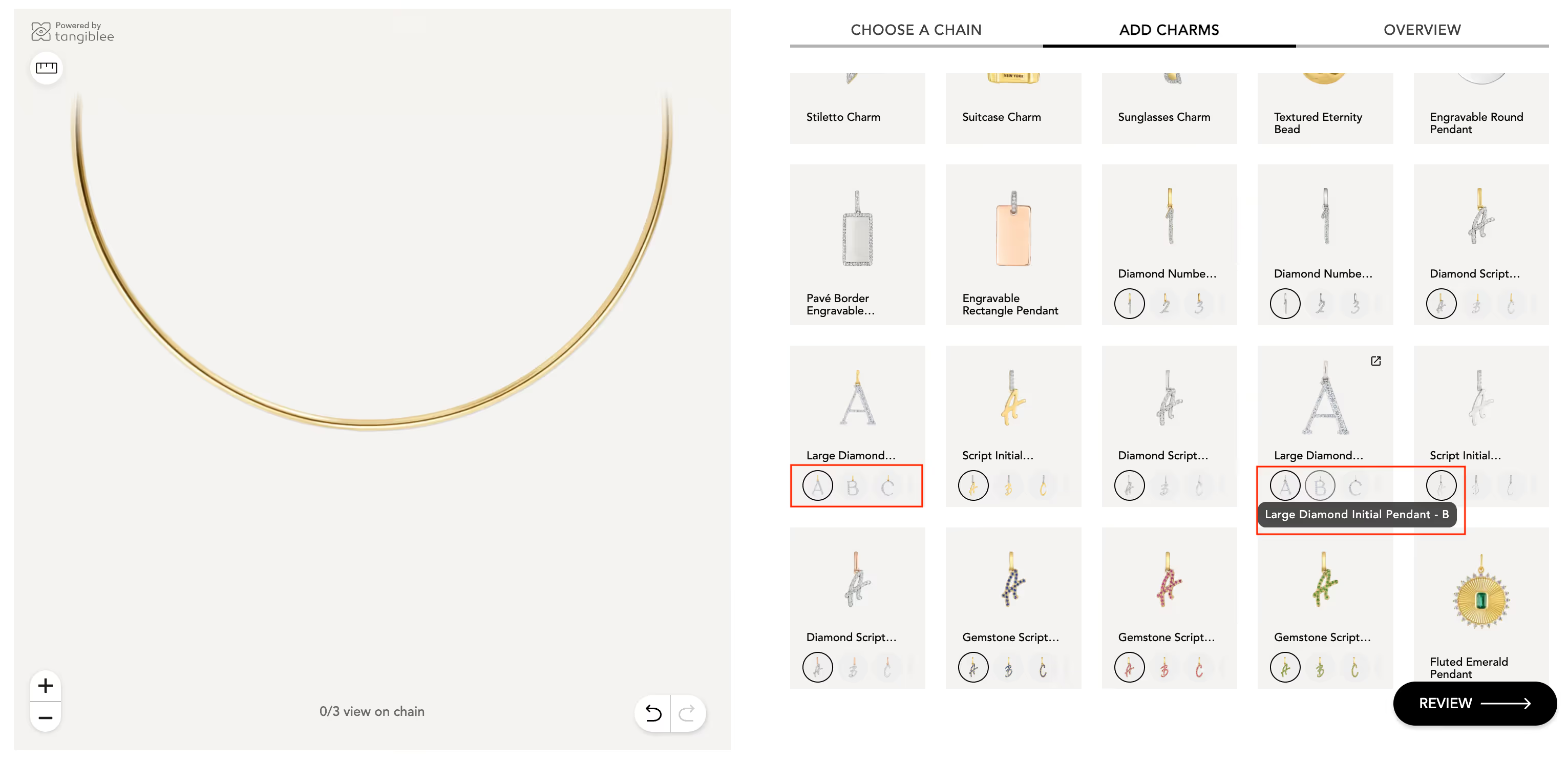
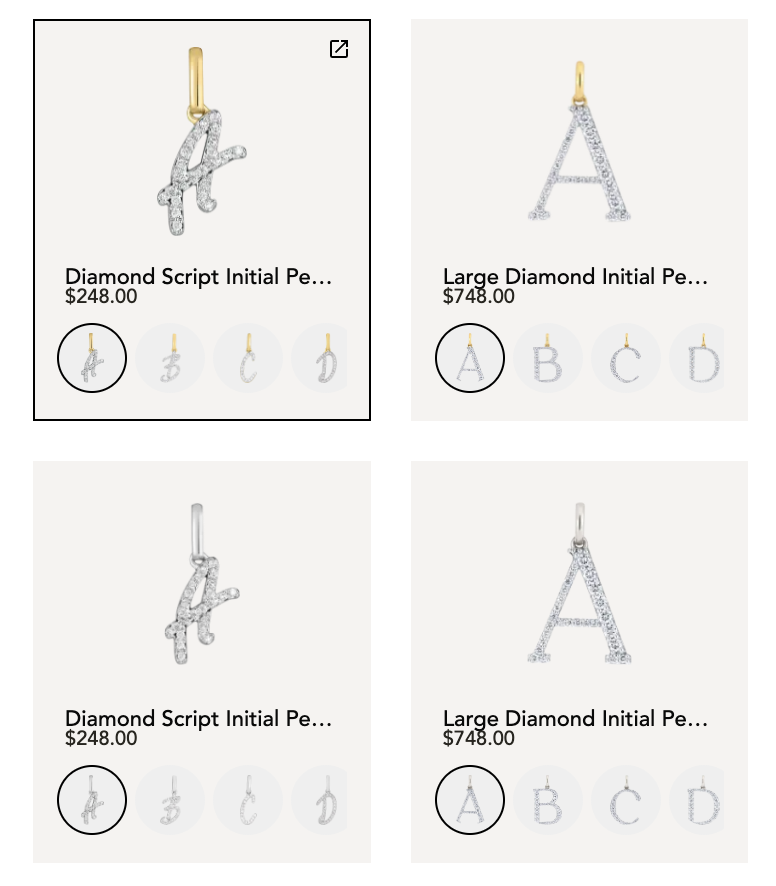
Las muestras ahora admiten imágenes de producto como portada (no solo colores HEX), lo que permite:
- Agrupar varias variaciones bajo una miniatura principal
- Cambiar fácilmente entre letras, números, zodiaco y conjuntos similares mediante las muestras
- Navegación clara usando etiquetas + títulos de variación
Actualizaciones de orden:
- Orden natural para el alfabeto y los números
- Orden personalizado bajo petición para variaciones de color
- Orden de miniaturas en la galería: define qué aparece arriba o abajo mediante reglas
Flujo Móvil sin Conexión mediante Código QR
- Los usuarios escanean un código QR desde banners físicos en tienda
- El escaneo abre directamente la experiencia Tangiblee sin anclaje (sin PDP)
- Los usuarios pueden probarse y cambiar relojes
- Desde la experiencia, los usuarios son redirigidos a la PDP para continuar con la compra
- El acceso se basa en colecciones (la colección cambia mensualmente)
Este es nuestro primer experimento de offline a móvil, utilizando el código QR como punto de entrada principal.
Mejora en los Bocetos para Device Fit
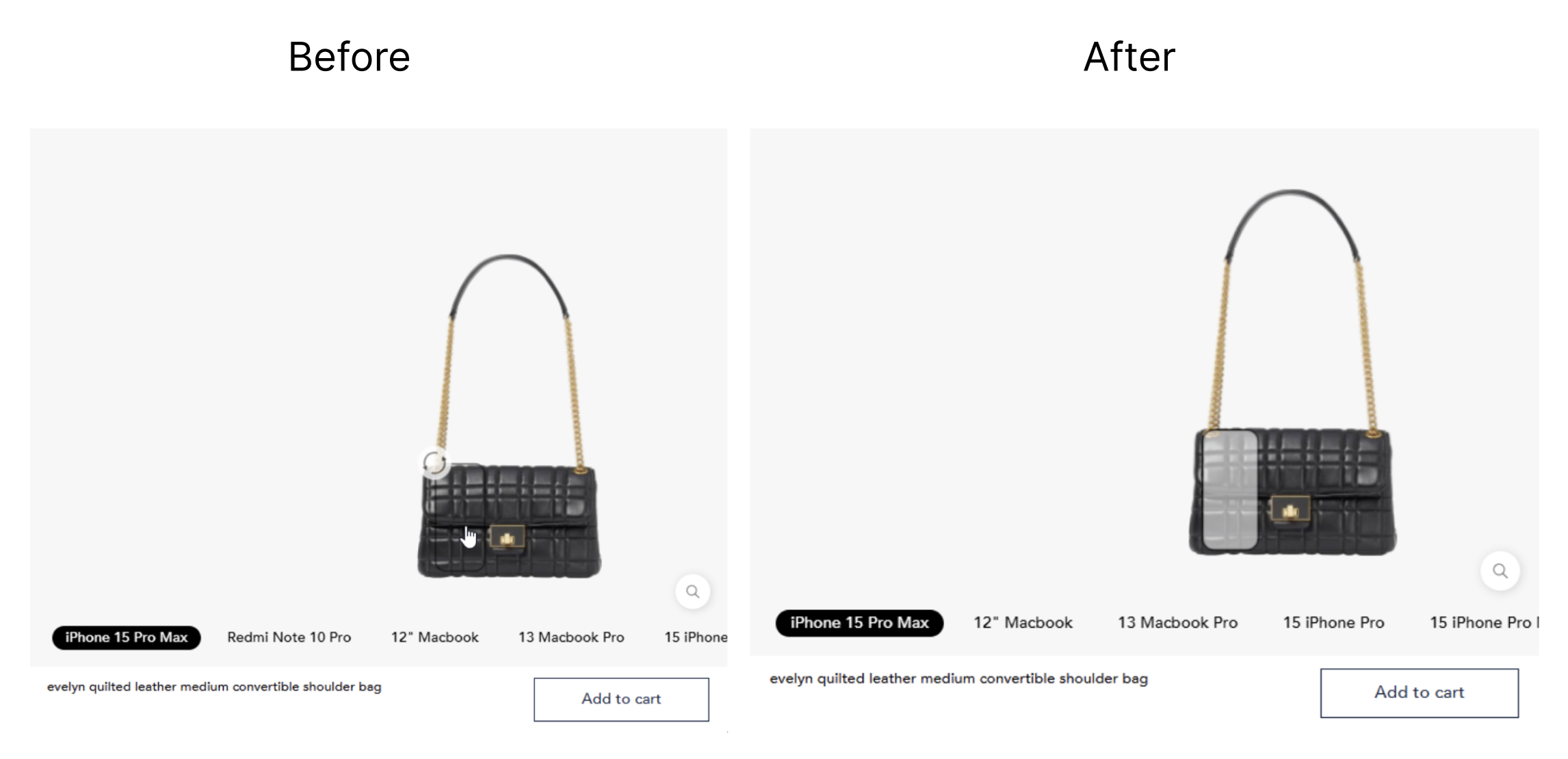
Al buscar un nuevo dispositivo y añadirlo a la escena, este aparece en formato de boceto. Anteriormente, el boceto solo tenía contorno, lo que dificultaba verlo y moverlo al superponerse con el producto.
Hemos mejorado las reglas visuales aplicadas al boceto del dispositivo, garantizando que los artículos siempre sean visibles y se puedan arrastrar.
 Ver en Directo
VTO para Decoraciones Navideñas: 2 Artículos en Escena
En la función de VTO para Decoración Navideña, los clientes ahora pueden seleccionar 2 o más productos para visualizarlos en su espacio. Los artículos aparecen en posiciones preasignadas, pero los usuarios pueden arrastrarlos y reposicionarlos libremente según prefieran.
 Ver en Directo
Imágenes y Etiquetas para las Muestras en LB4C
Have a feature in mind?
We want to hear from you. Submit Tangiblee feature ideas that will help enhance your ecommerce business.