
Introducing: Build Your Look Feature
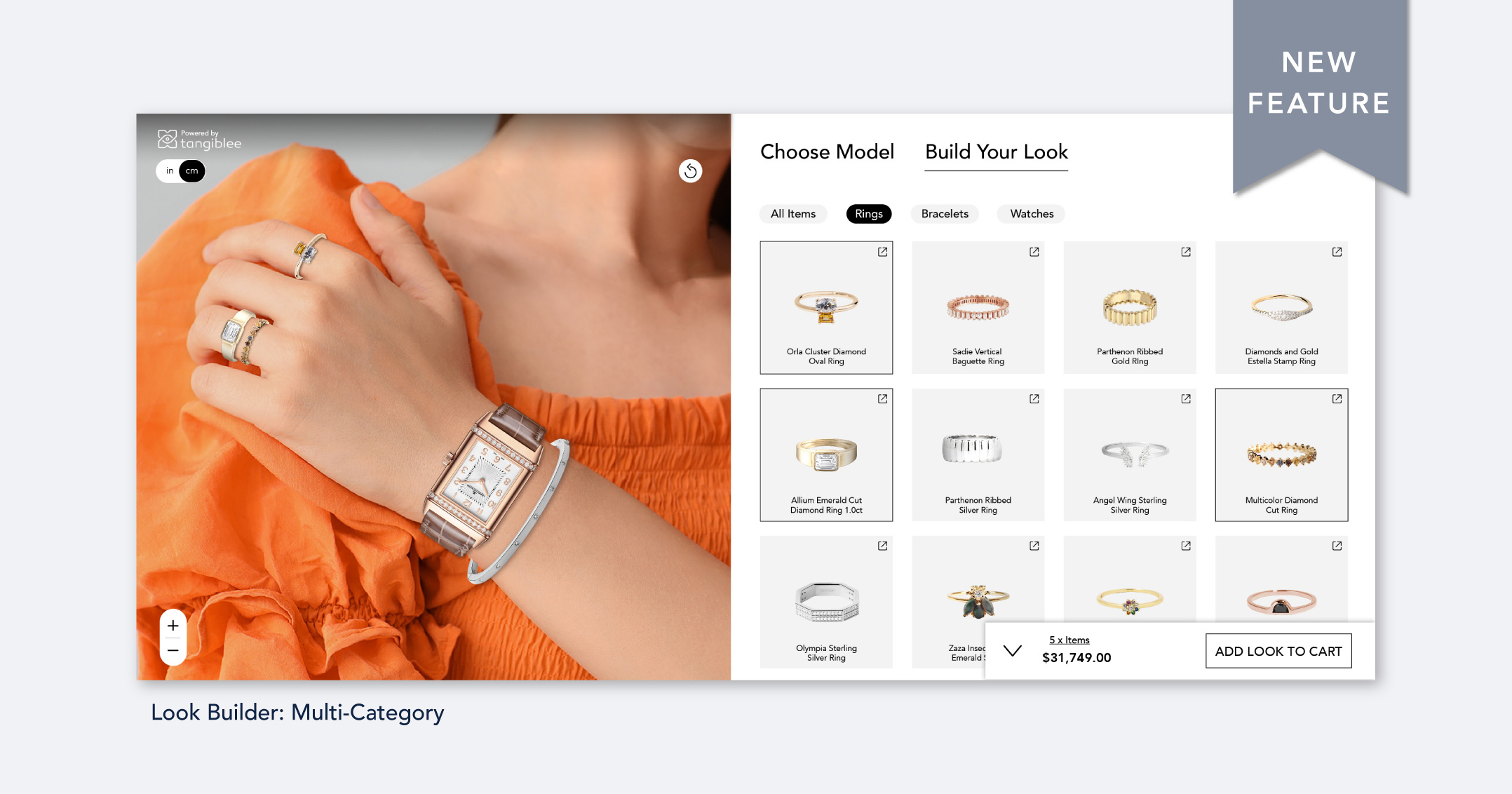
If you have a wide variety of jewelry to choose from but no ability to showcase them together, look no further! Introducing our Multi-Category Look Builder, a solution for accommodating accessory visualization across multiple categories for desktop and mobile.
How it works: for customers
We've combined Look Builder functionality to allow for stacked bracelets, rings, and watches that can be viewed directly on models. Customers can work from pre-selected stacks or build their own from the ground up, adding the full stack directly to their cart. Individual items can still be added, removed, or swapped seamlessly; product dimension info and zooming in or out is also supported.
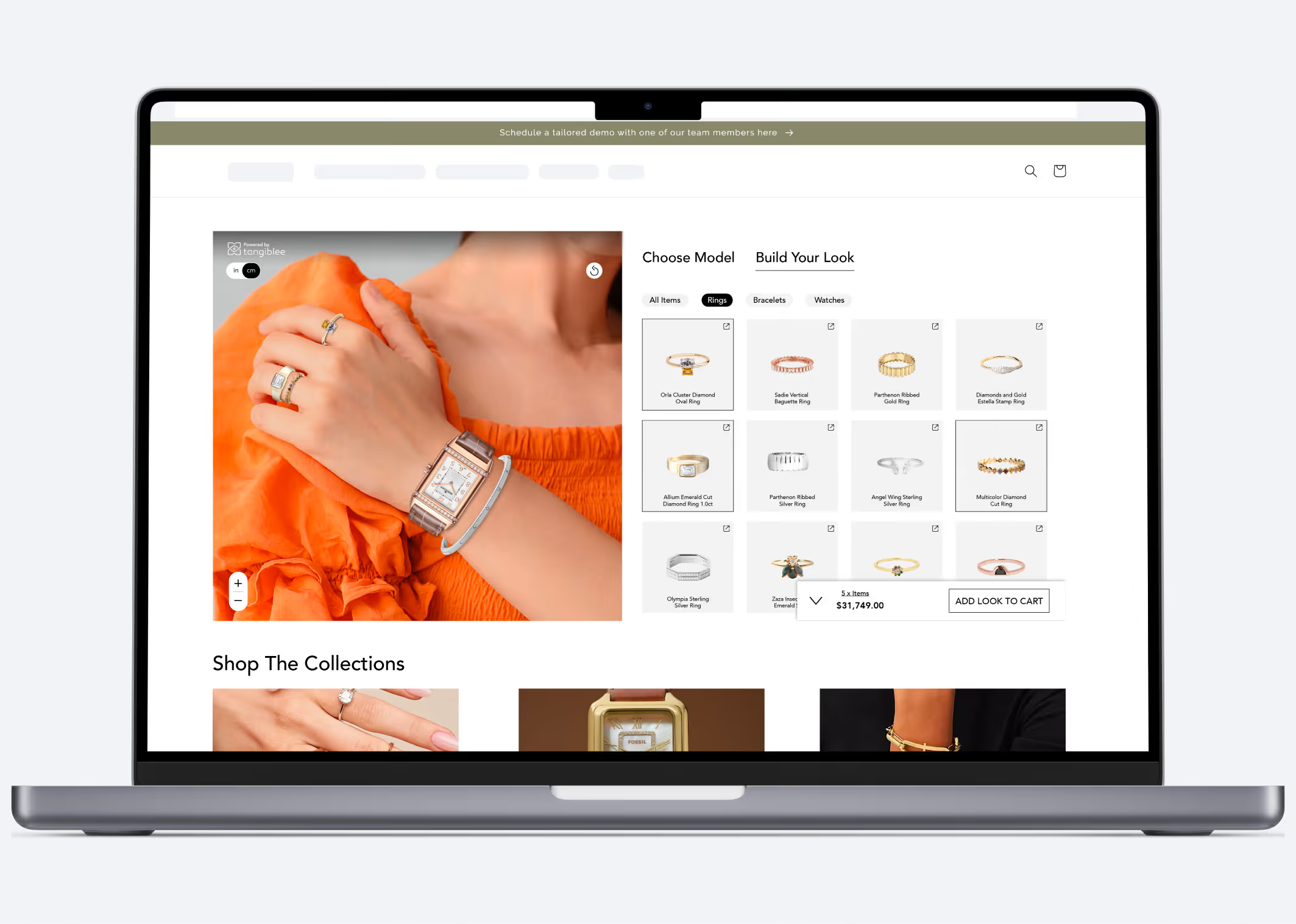
How it works: for retailers
Our embed integration works directly on the PLP (product listing page) to curate jewelry stacking. Here are some customization options available for retailers:
- Choose the number of items from each category to display in stacking mode (e.g. 3 rings, 2 bracelets, and a watch).
- Enable a single item or stacking mode by default when the widget is opened
This feature is ideal for retailers with a broad catalog of jewelry who want to showcase how their pieces look in tandem—sometimes a vision of bracelets, bangles, and rings doesn't hit a customer with an emotional impact until they can visualize the full stack in one place.
We understand the power of visuals and aesthetics—let us bring your creative vision directly to customers, eliminating the frustrations of hunting down and adding five individual pieces to a cart or the frustration of figuring out if a particular piece meshes well with others.
Supported Retail Categories
The following retail categories will be supported:
- Watches (1 max)
- Necklaces (1 max)
- Bracelets (2 bracelets, can be more depending on the drag line length)
- Rings (up to 3)
- Earrings (including stacking)
- Pendants (including stacking)
- Brooches (including stacking)
Limitations and Specifications
Multi-category stacking does not currently support the following features:
- Free dragging: Users will only be able to place products on pre-defined hotspots
- VTO/On Me capabilities
- Color selection
These features mentioned above are on our roadmap—we’ll keep you posted once they’re made available.
Note: For clients not using SFCC or Shopify who want to enable Look Builder, multi-SKU cart bundling should be requested separately. Clients using other e-commerce platforms may need to discuss additional integration steps with our team.
Get in Touch
Still have questions about multi-category stacking? Send us a message with our contact form. Want to see how our solution looks on your PLP? Schedule a demo with us.