
2022 Q4 Product Update
It may be the end of the year, but Tangiblee is not slowing down. We are excited to release another batch of incredible new features that will continue to accelerate e-commerce growth for online retailers.
Full-Screen VTO Camera
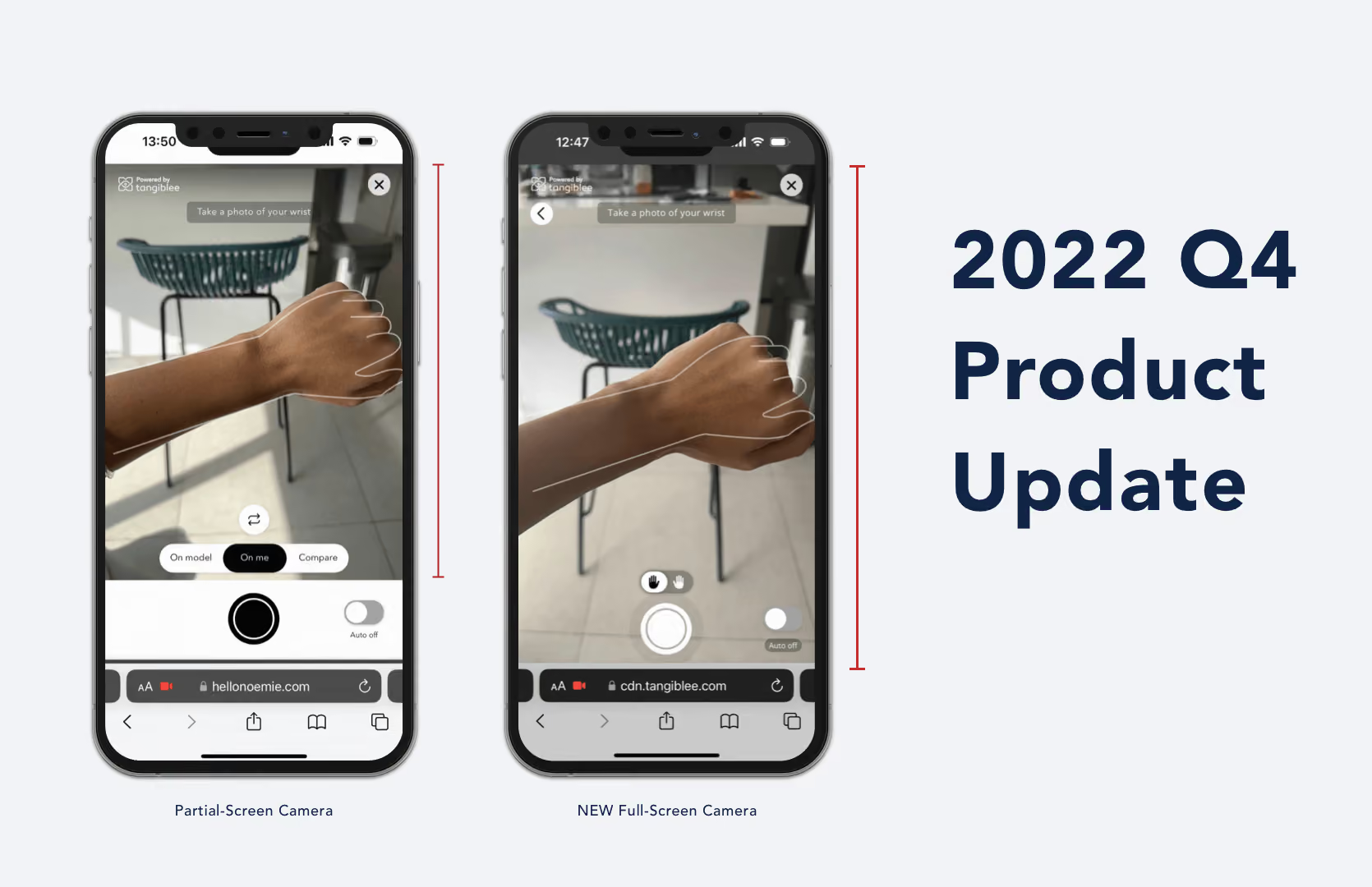
Tangiblee is excited to announce the latest innovation to our Virtual Try-On (VTO) solution. When shoppers open the VTO camera, the experience will take up the entire screen.

This feature gives the VTO camera more screen real estate and enhances the VTO experience. Additionally, a back button was added to the solution to make it easier for shoppers to navigate.
Embed
Tangiblee embed activates the solution via a carousel thumbnail. The experience appears within the product image carousel and automatically loads on the Product Detail Page (PDP) without any pop-up.
Shoppers will be able to interact with the Tangiblee experience as they usually would with the On-Model experience within the Tangiblee pop-up solution. Shoppers can additionally use the stacking feature when applicable.

To activate VTO, shoppers click the CTA, and the Virtual Try-On experience will load automatically within the image carousel with no pop-up. This creates a more consistent shopping experience by removing additional clicks and keeping the shopper on the PDP page.
This feature provides retailers with the flexibility to place Tangiblee anywhere on their website including landing pages. Embed, additionally, creates a more consistent shopping experience for online shoppers by blending seamlessly with the retailer's existing website.
Sharing: On Model and Stacking
In addition to VTO sharing, shoppers can now share their favorite products with friends and family using the On-Model and Stacking feature. Once the shopper is happy with their stacked or On-Model look, they can share it with others.
The person who receives the shared look can open the photo to a unique loading page where they can interact with the product. They are also able to purchase the product through that unique landing page.

Faster Auto-Capture
Tangiblee is constantly looking for ways to improve existing features to minimize wait times and deliver customers the best online experience.

Most recently, Tangiblee applied improvements to its auto-capture functionality–specifically reducing the image load time. A reduced load time means the user will notice a significantly faster auto-capture experience. When shoppers open VTO, the camera automatically captures images without the shopper pressing the camera button. Faster auto-capture keeps the shopper engaged and leads to an increase in conversion rate.
Earring VTO for Cuffs
Tangiblee has been providing Earring VTO and has expanded its capabilities with Earring Cuff VTO. Earring cuffs are earrings worn on the ear's outer edge and don’t require a piercing.

Online shoppers can now virtually try-on earring cuffs and move them to various hotspots on the ear. The stacking feature is also available with Earring Cuff VTO. Shoppers can select multiple cuffs to place on their ear to create a custom stacked look, and with Multi-SKU Bundling, they can add all cuffs to their cart at once.
Interested in learning more about these features? Schedule a free demo today.