
Not All Virtual Try-On Is Built the Same: What's Actually Happening Behind the Image
"AI try-on" shows up in almost every jewelry e-commerce pitch right now, and by itself it doesn't tell a brand much. The phrase covers at least three different processes, and they don't produce the same result, share the same cost structure, or solve the same shopper problem. For a brand deciding whether to add virtual try-on — or evaluating why one option costs more than another — it's worth knowing what's actually happening behind the image before comparing on price.
Three approaches, one shared label
Search for virtual try-on for jewelry today and you'll find three fairly different technologies, and every one of them gets called "AI try-on" somewhere in its marketing.
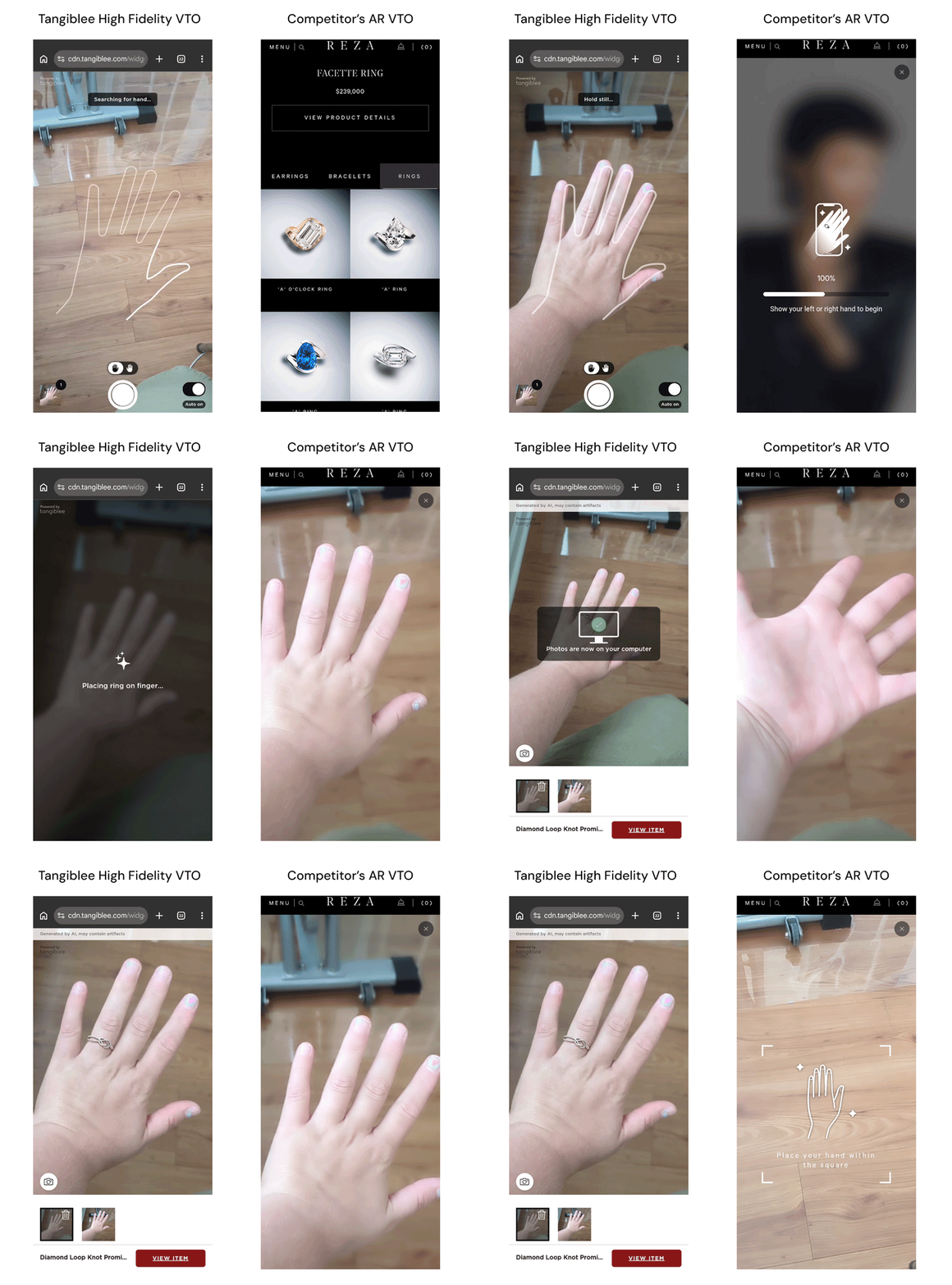
Live AR try-on. The shopper opens their camera, and the jewelry is tracked onto their hand, wrist, or ear in real time as they move. It's the most visually familiar version of "try-on" — it feels closest to a mirror. But that real-time tracking is also why it's harder to scale and more expensive to build: it typically needs a dedicated 3D or tracking asset per product, built and tuned to move convincingly with the shopper, which is a heavier lift than placing a static image. And the format asks something of the shopper in return: hold the phone steady, find the right angle, adjust position, and evaluate the result while still controlling the camera. For a quick, casual check, that's fine. For a considered jewelry or watch purchase, it can add friction at exactly the moment a shopper wants to slow down and look closely.
Generic AI image generation. The shopper — or the brand, for catalog content — uploads a photo, and an AI model generates a single image showing the item in place. This is fast and inexpensive to access, which is why it's become common. But speed and shopper-ready accuracy aren't the same standard, and tools built primarily to generate an image quickly don't always include a step of granular system review that checks whether the result reflects the product's real scale and proportions before a shopper sees it.
Quality-checked, catalog-scale pipelines. This is a smaller category, and it works differently: placing the item is one step in a longer process that includes testing each product for compatibility and a built-in accuracy check before an image goes live — not performed by a person reviewing each result, but by the AI's own training. Tangiblee's model was built specifically for jewelry and watches and trained on millions of SKUs in those categories, so the check on whether a placement is accurate is part of what the model itself was trained to do, applied consistently across hundreds or thousands of SKUs — not just tuned to look good on a handful of hero products in a demo.
Why the same two words describe very different processes
"AI try-on" describes the output, not the process behind it — the same way "handmade" can describe a $20 item or a $2,000 one. Two try-on images can look nearly identical in a screenshot. The gap between them shows up later: in whether the placement is accurate to the product's real dimensions, whether the result holds up across a full catalog instead of a handful of best-sellers, and whether anyone checked the output before a shopper saw it.
What's actually different about this generation of try-on
It's easy to assume today's virtual try-on is just a nicer-looking version of the tools that have existed for years. The underlying mechanism is actually different, and that difference explains a lot about how this generation of try-on works — and why it's priced the way it is.
Try-on tools from around a decade ago worked on fixed rules. A 3D or 2D asset of the product was built in advance, usually by an artist or 3D modeler, and classical computer vision detected a hand, wrist, or ear and mapped that pre-built asset onto it using fixed geometry. This approach was rigid but predictable — since nothing was being generated, the result never drifted from what was built. It also didn't scale easily: building an asset for every SKU by hand is exactly the bottleneck that kept older 3D try-on limited to a brand's hero products rather than a full catalog.
The mechanism behind Tangiblee's virtual try-on works differently. Instead of mapping a separately built 3D asset, the AI places the brand's actual 2D catalog photo of the item — the real SKU image, not a reconstruction of it — onto the shopper's hand, wrist, or ear. The item's proportions and details come directly from that real product photo, not from a synthetic rendering of the product. What the AI is doing is placement: scaling, angling, and blending that real image accurately onto a huge variety of hands, wrists, and lighting conditions. That's a different problem than generating an image from nothing, and in some ways a harder one — but it's also what makes a separate, hand-built 3D asset unnecessary. The brand's existing catalog photo is the source.
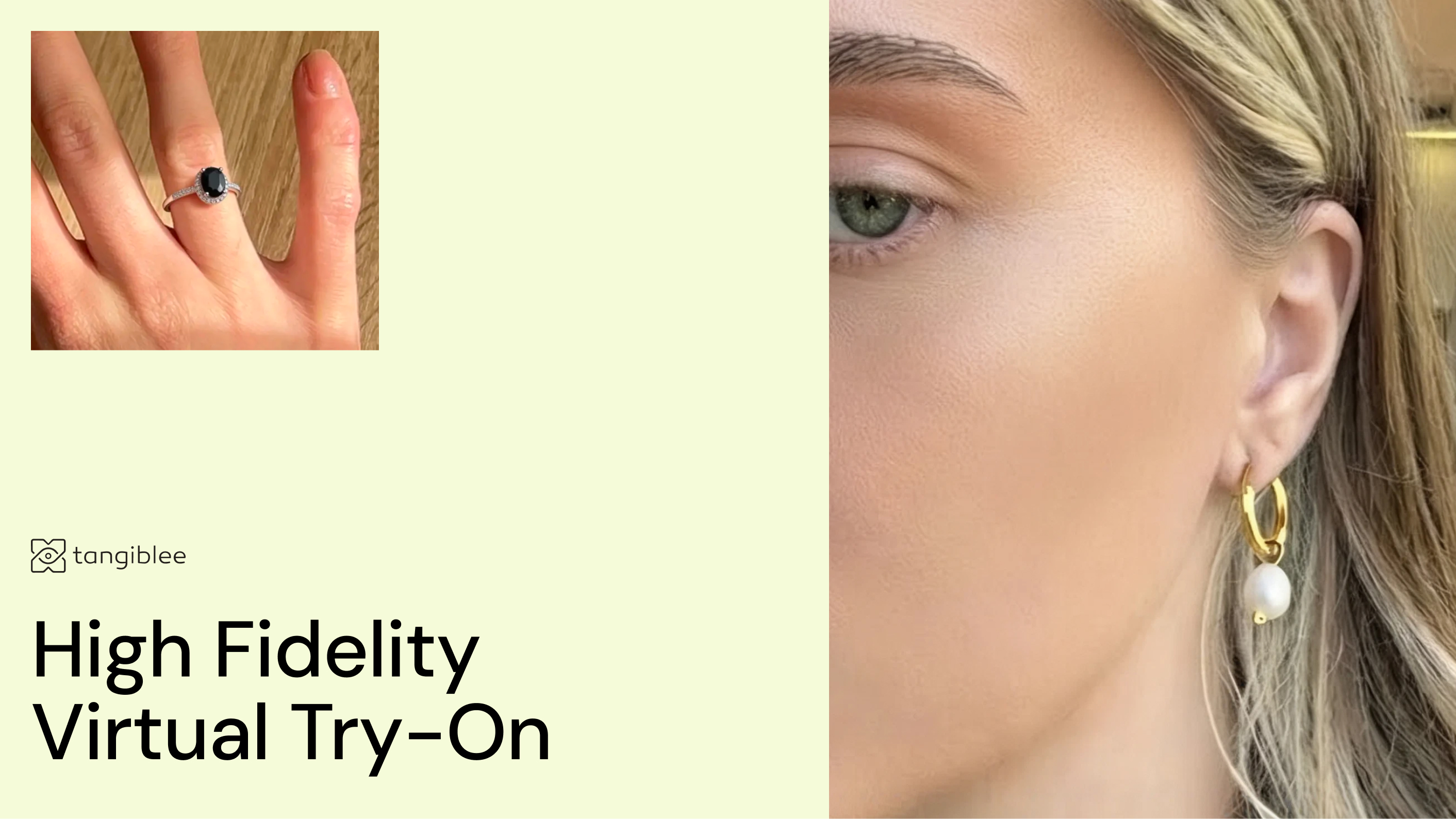
A concrete way to see the distinction: the ring in the image is the brand's actual product photo. Its stone, its metal finish, its proportions aren't reinvented by the model. What the AI generates is the placement — how that real image sits on a specific hand, at a specific angle, under specific lighting, including how a shadow falls where the ring meets the skin. That's a smaller claim than "the model paints a new ring," but it's the accurate one, and it's also why the model behind it needs deep, specific training on placement rather than general-purpose image generation.
.png)
One ring in this photo was really on her hand when it was taken — the plain band. The one with the stones is Tangiblee's virtual try-on, added using nothing but the product's existing catalog photo — no reshoot, no new asset built for this shot. There's no visual seam and no obvious tell between the two. That's a harder bar to clear than most people assume, and it's exactly why this level of placement accuracy needs real training behind it, not just a capable image model.
That training is a meaningful part of the story. The model behind Tangiblee's virtual try-on is trained on more than a decade of accumulated virtual try-on placement data — real SKUs placed on real hands, wrists, and ears, across the range of skin tones, angles, and lighting a jewelry or watch catalog actually sees in the wild. That history is what a new, general-purpose AI image tool doesn't have: it can generate a plausible-looking image, but it hasn't been trained specifically on placing a real product accurately, at scale, across a catalog.
.gif)
Why accuracy will matter more than realism
AI-generated content is on its way to becoming the default across ecommerce, not a differentiator. Once most brands have some form of AI on their PDP, "we use AI" stops meaning much on its own. What will actually separate experiences shoppers trust from ones they don't is what the tool gets right.
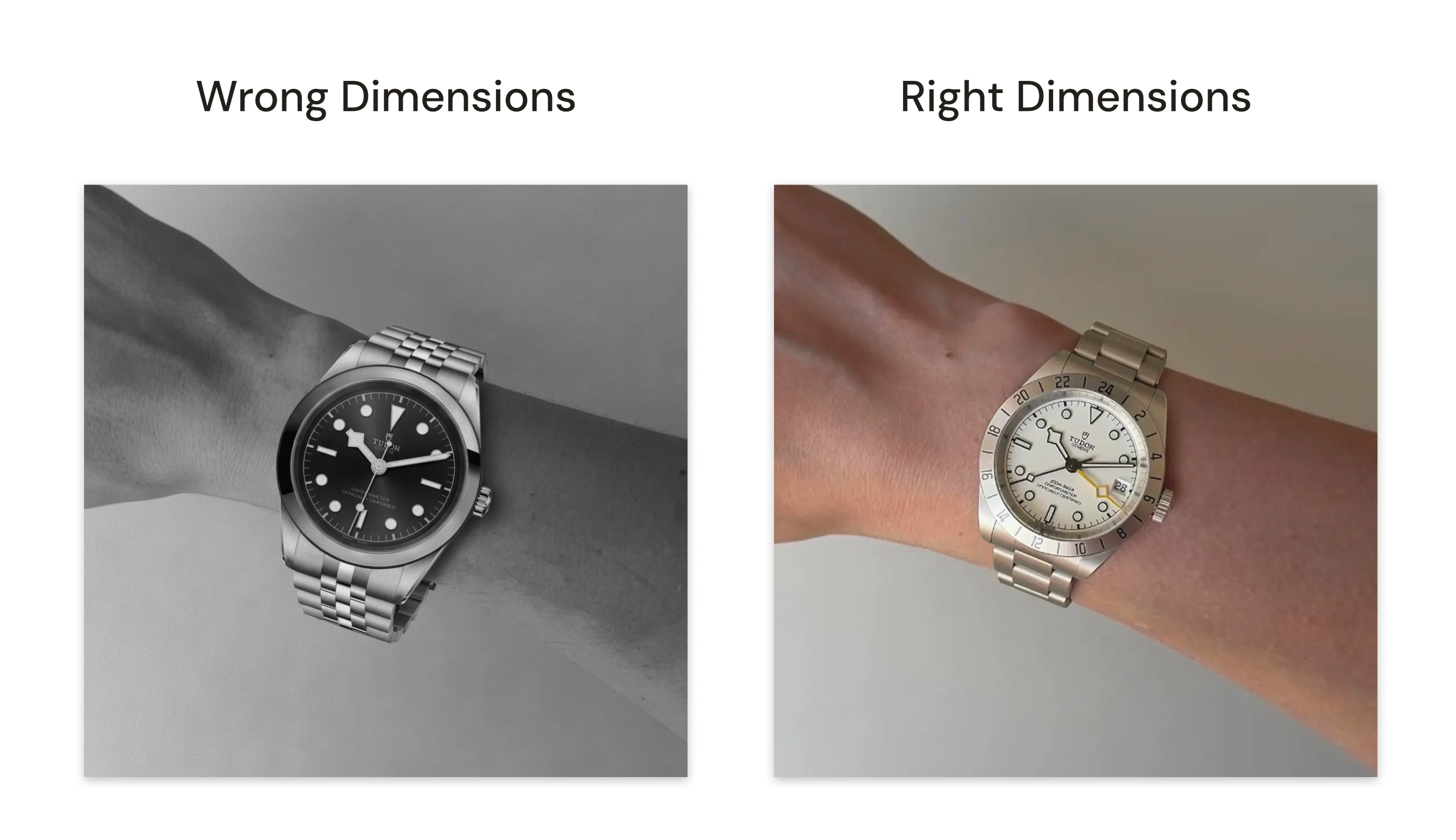
The bigger risk isn't an image that looks obviously synthetic. It's the opposite — an image that looks convincing but quietly misrepresents the product: a stone that renders a little larger than its real carat size, a proportion that's subtly off from the actual item. A shopper has no way to catch that by looking. They just end up disappointed when the product arrives, which shows up later as a return, not as a visible problem at the point of sale.
What actually happens behind a quality-checked try-on image
For context, here's roughly what Tangiblee's virtual try-on pipeline involves, using ring try-on as an example:
- Compatibility testing. Not every product generates a clean, accurate result with a given model. Products are tested first, and only ones that pass are enabled — rather than assuming every SKU will work equally well.
- Staged rollout. Quality-checked pipelines are typically introduced in a smaller batch first, then expanded, because getting the process right at scale takes real setup work, and that work has to be validated before rolling out across a full catalog.
None of this is required to generate an image. It's required to generate an image a brand can trust in front of a paying customer, consistently, across a full catalog — which is a meaningfully different problem to solve than generating a single convincing picture.
What this means for a brand evaluating virtual try-on
The question worth asking isn't "does this use AI" — most options in the market now do, and it's stopped being a meaningful differentiator. The more useful questions are:
- Is this a live, camera-based experience, or a placed/generated image? Each fits a different moment in the shopping journey.
- Does the vendor say what doesn't work yet, or only what does?
- Is this built to hold up across a full catalog, or does it work best on a small set of showcase products?
None of these approaches is universally "better." A live AR moment can be a great top-of-funnel engagement feature. A fast generic image can be useful for quick marketing content.
A quality-checked pipeline solves a different problem: giving a shopper a scale- and fit-accurate reason to trust what they're seeing, at the moment they're deciding whether to buy. Knowing which one you're actually getting — and why — makes it easier to evaluate the options in front of you.