
The Vital eCommerce Tool You Can’t Skip: Tangiblee’s Compare Mode for True-to-Scale Visualization
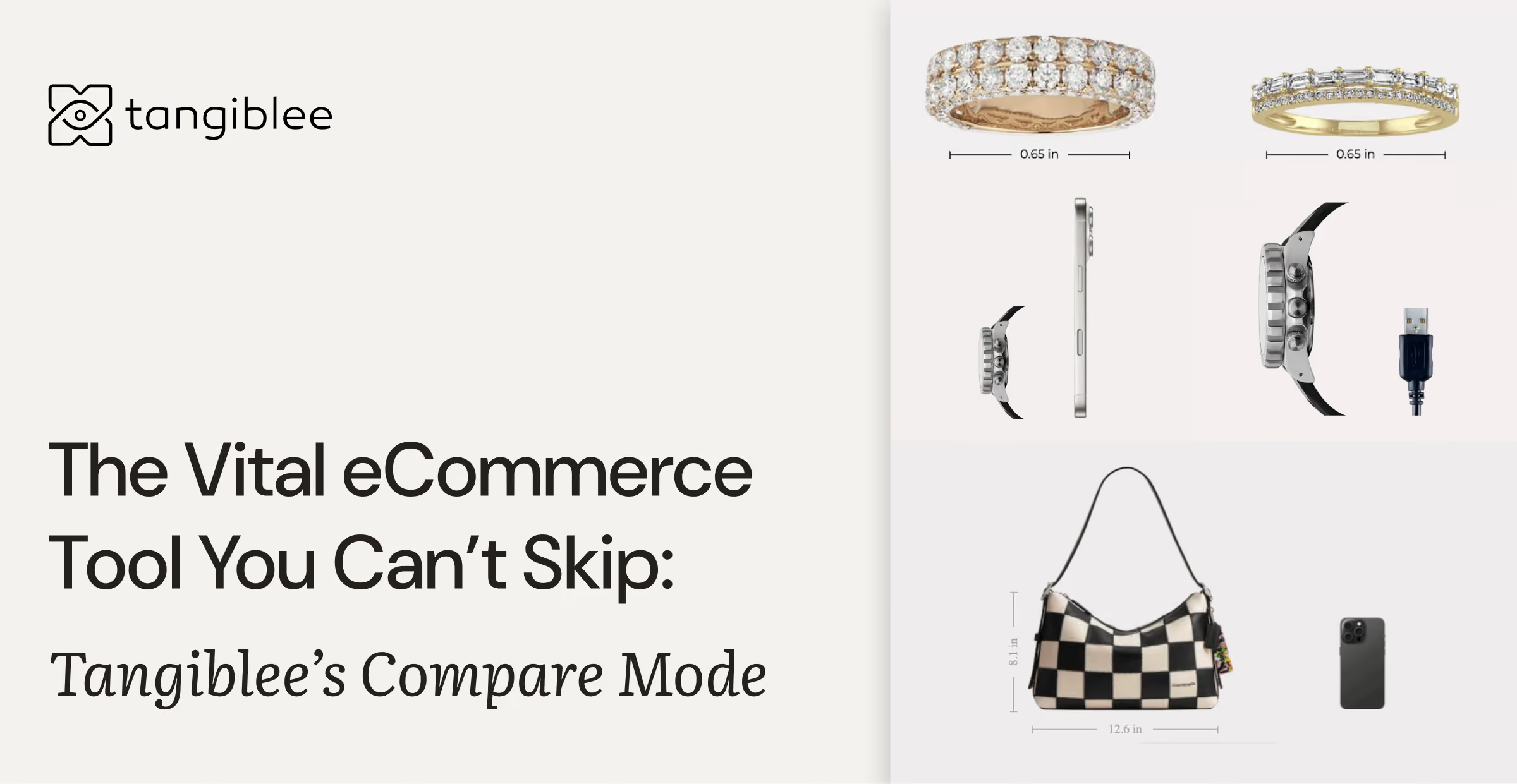
Some visualization tools are great add-ons. But Compare Mode is the foundation.
You can launch without 3D scans or 360° spins — but you can’t deliver real shopping confidence without giving customers the ability to compare products side by side, in true perspective, at true scale.
What Compare Mode is (and isn’t)
Tangiblee Compare Mode is a true-to-scale, side-by-side comparison experience for jewelry, bags, and watches. It aligns products to the same viewing angle and perspective so shoppers can evaluate size, shape, proportions, and details with confidence.
- Best for: shoppers comparing multiple options before buying
- Delivers: consistent scale, angle alignment, and realistic perspective
- Doesn’t require: 3D scans, 3D models, or 360° spins
For over a decade, Compare Mode has helped global retailers turn digital hesitation into decisive “yes” moments.
Now, it’s getting an upgrade.
What’s New: Watch Thickness Comparison
We’re introducing the next evolution of Compare Mode — now featuring watch thickness visualization.

This enhancement lets shoppers view products from multiple angles, aligned and consistent, to better understand scale, shape, and detail.
Key highlights:
- Multi-angle views: Display and compare watch thickness for a complete, realistic perspective.
- Auto-rotation: Catalog and “Recently Viewed” items automatically rotate to the same angle for clean, accurate comparisons.
- Cross-support: Works across watches.
It’s like standing at a display counter and turning two products in your hands — but online.
Why Compare Mode Is the Foundation of Visual Commerce
Compare Mode isn’t just another feature — it’s the core of digital decision-making.
When customers can see two or more products side by side, in identical scale and aligned angles, doubt drops fast. They don’t imagine the difference; they see it.
Why this matters for each category
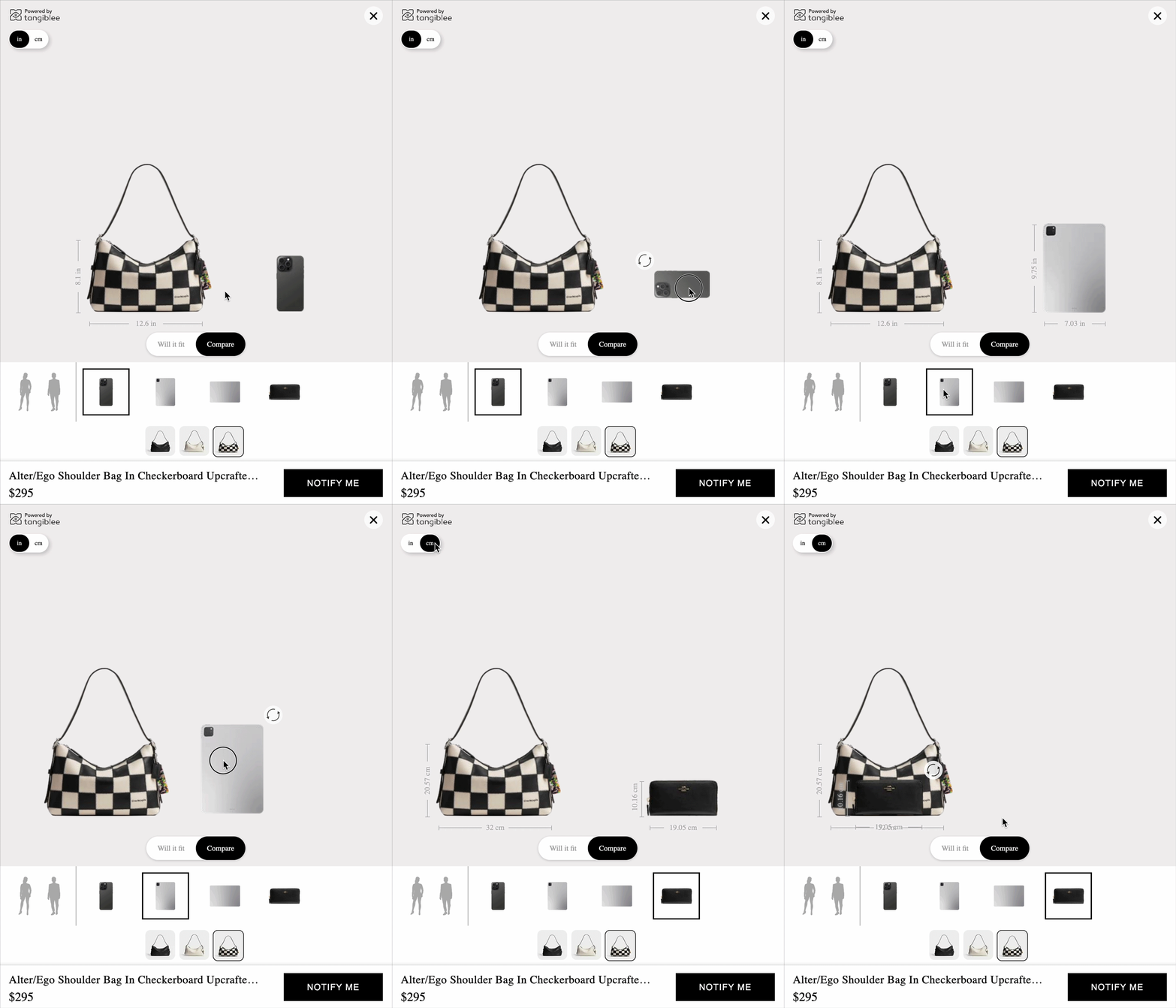
Bags:
Size is one of the biggest sources of uncertainty. Compare Mode makes bag-to-bag differences obvious at a glance — often more effectively than a 360° spin, because shoppers aren’t evaluating one bag in isolation. They’re choosing between options. Adjustable silhouettes support the same goal: they make comparison possible against a body shape that’s close to the shopper’s own.
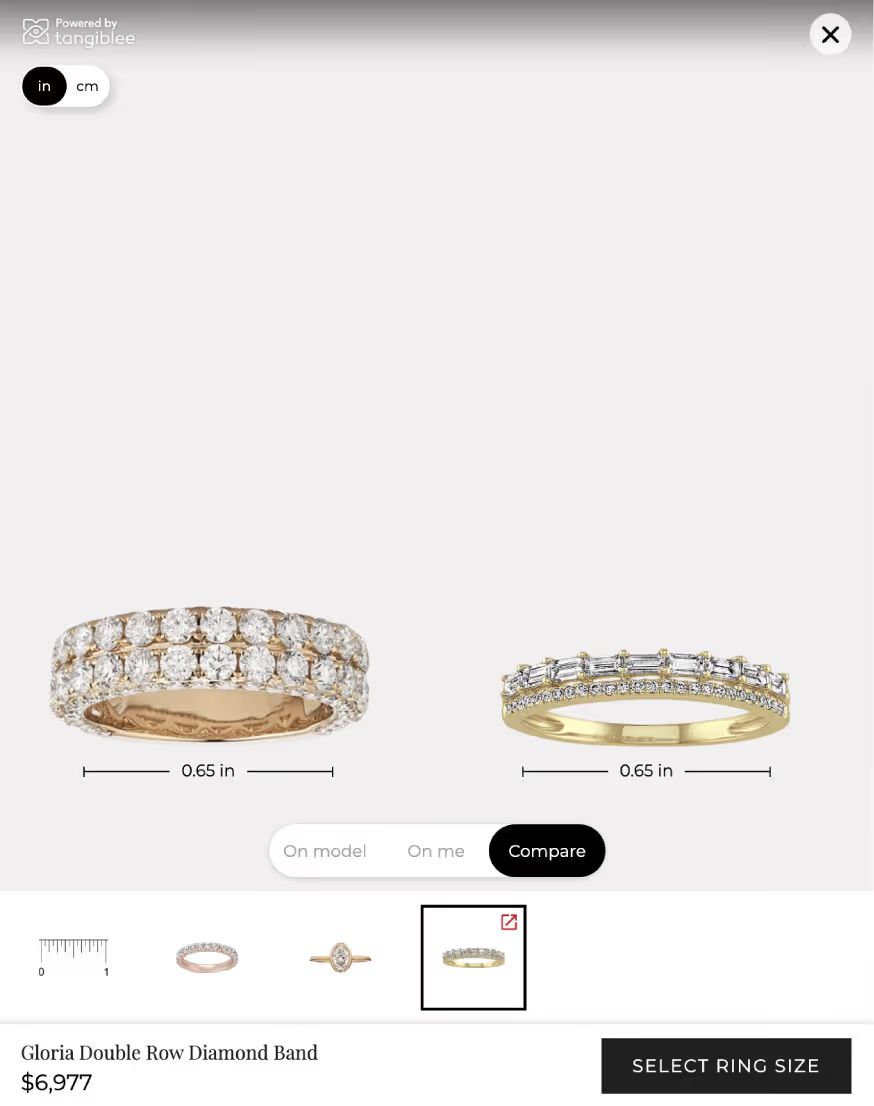
Jewelry:
Subtle differences (stone size, setting presence, proportions) can look similar in standard imagery. Side-by-side comparison gives shoppers immediate clarity.
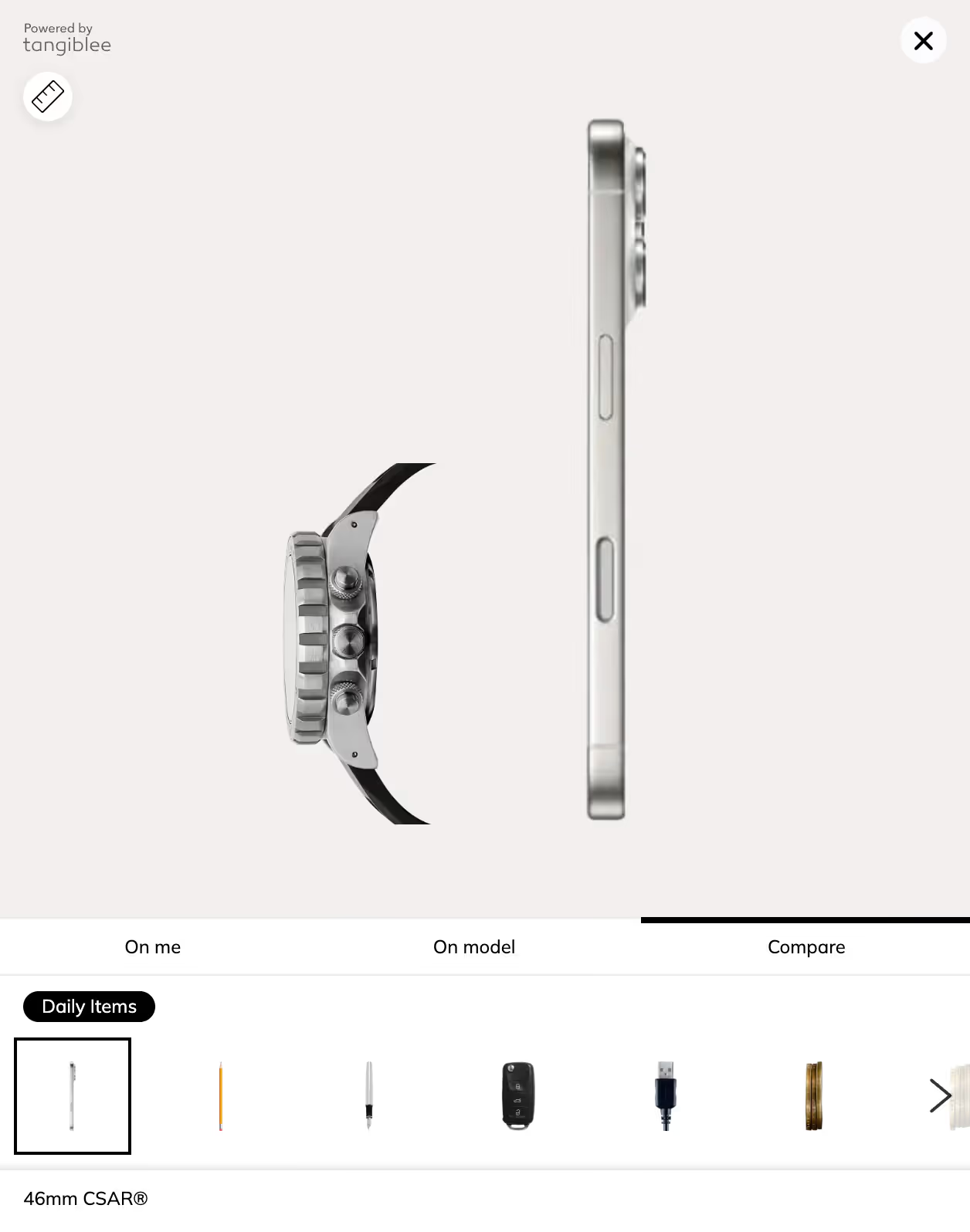
Watches:
Shoppers care about how a watch wears — not just its diameter. Thickness and profile are key to perceived comfort and style, and the new Watch Thickness Comparison makes that dimension easy to understand.
Compare Mode isn’t just another feature — it’s the core of digital decision-making. When customers can see two or more products side by side, in identical scale and lighting, doubt disappears. They don’t imagine the difference; they see it.
Data tells the story:
- Shoppers who use Compare Mode are 1.5× more likely to convert
- Retailers see a 46% higher CVR uplift compared to sessions without it
- Compare Mode sessions record the longest engagement time per visit

Why? Because comparison creates clarity — and clarity drives conversion - with Tangiblee.
More Than a Decade of Proven Results
For over ten years, Tangiblee has helped leading eCommerce brands bring in-store realism to online retail — through scale accuracy, product context, and intuitive interaction.
The new edition of Compare Mode continues that legacy: precise, fast, and visually consistent across product categories.
As shoppers expect richer, more human digital experiences, Compare Mode remains the essential layer of interactive eCommerce visualization. It’s not a nice-to-have. It’s what makes customers believe what they see — and buy what they love.
Empower your shoppers to compare, explore, and decide with confidence.