
Release Notes
Keep up with Tangiblee's latest product updates. Be the first to know when new releases go live.
LB4C Now Supports a 3-Layer Charm Builder: Chain → Holder → Charms
Tangiblee’s LB4C experience has been upgraded to support a full 3-layer Charm Builder configuration — guiding shoppers seamlessly from chain selection, through holder, all the way to charm curation. Whether a product line requires a 2-layer flow (Chain → Charms) or a 3-layer flow (Chain → Holder → Charms), both journeys can coexist within the same builder for maximum flexibility. 🎉
How It Works
Based on the chain a shopper selects, LB4C automatically surfaces the relevant path and product options:
- 2-layer chains take shoppers directly to charm selection — keeping the journey fast and streamlined.
- 3-layer chains prompt shoppers to choose a holder before adding charms, ensuring the correct configuration every time.
- Shoppers only see the tabs and products relevant to their selected chain, reducing decision fatigue and improving conversion.
What's Next
We're enhancing the guided flow button to navigate through required sub-steps as well, for example:Choose Chain → Add Holder → Add Charms → Review
This will make 3-layer journeys more intuitive and easier to complete.

Compare Visibility & Layering Improvements
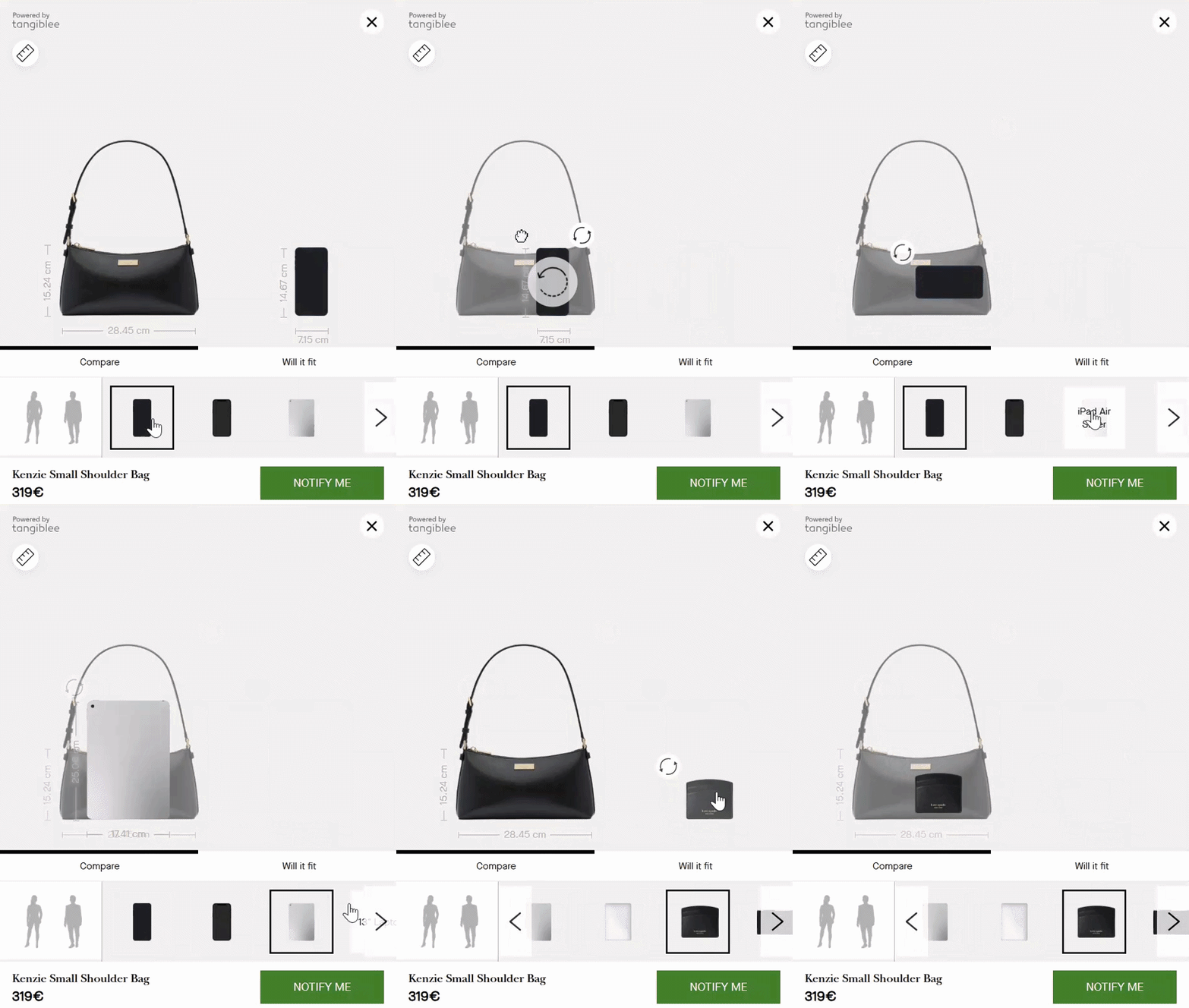
We’ve released an update to the Compare experience, designed to improve visibility when items overlap during side-by-side product comparisons.
What Changed
- The smaller item now automatically moves to the front
- The back/reference item receives reduced opacity
- Layering updates dynamically after drag, SKU change, auto-alignment, and rotation
Impact
- Better visibility when comparing items with similar colors or materials
- Fewer cases where one item completely obscures another
- Clearer size and fit perception during comparison
✅ Rolled out to all clients.
LB/ LB4C - Instant Canvas Visibility & SKU Display Enhancements
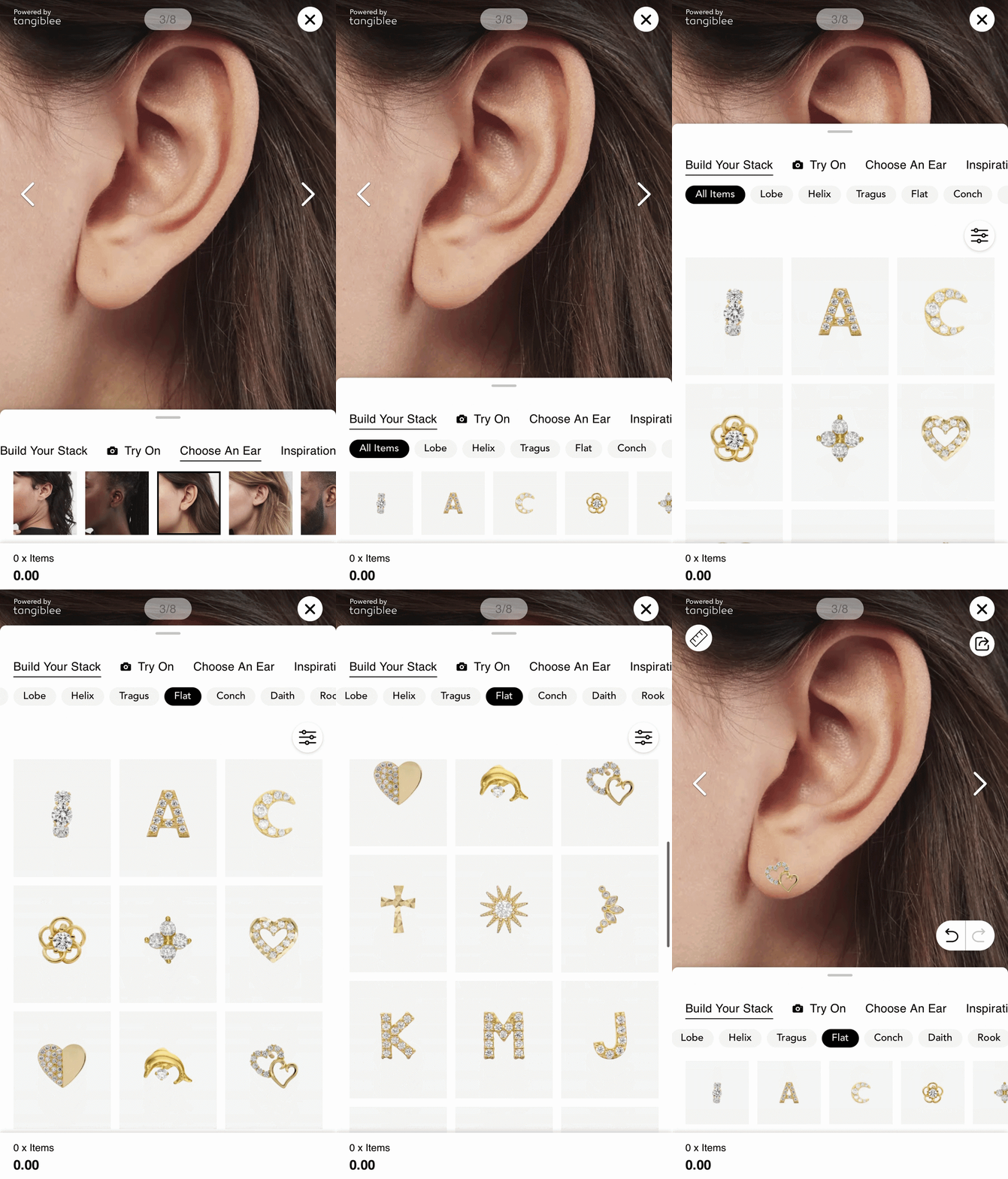
Two new improvements have shipped for Look Builder (LB) and LB4C: instant canvas visibility after adding items to a stack, and SKU IDs now displayed in Share and Cart Overview outputs.
Mobile Stack Instant Preview
The bottom sheet now auto-collapses when a new item is added, so users immediately see their updated stack on the canvas — no extra tap required.
What Changed
- Bottom sheet closes automatically after adding a new item
- Users see the updated stack on canvas right away
Early Results
- Increased interaction with newly added items
- Faster validation of stack combinations
Currently enabled for selected clients while we monitor results. Goal: enable across all clients.
SKU IDs in Cart Overview and Share Outputs
- Easier product identification from screenshots and shared looks
- Supports in-store journeys where customers show saved stacks to sales associates
Available via a feature flag.
LB4C: 'Out of Stock' Label
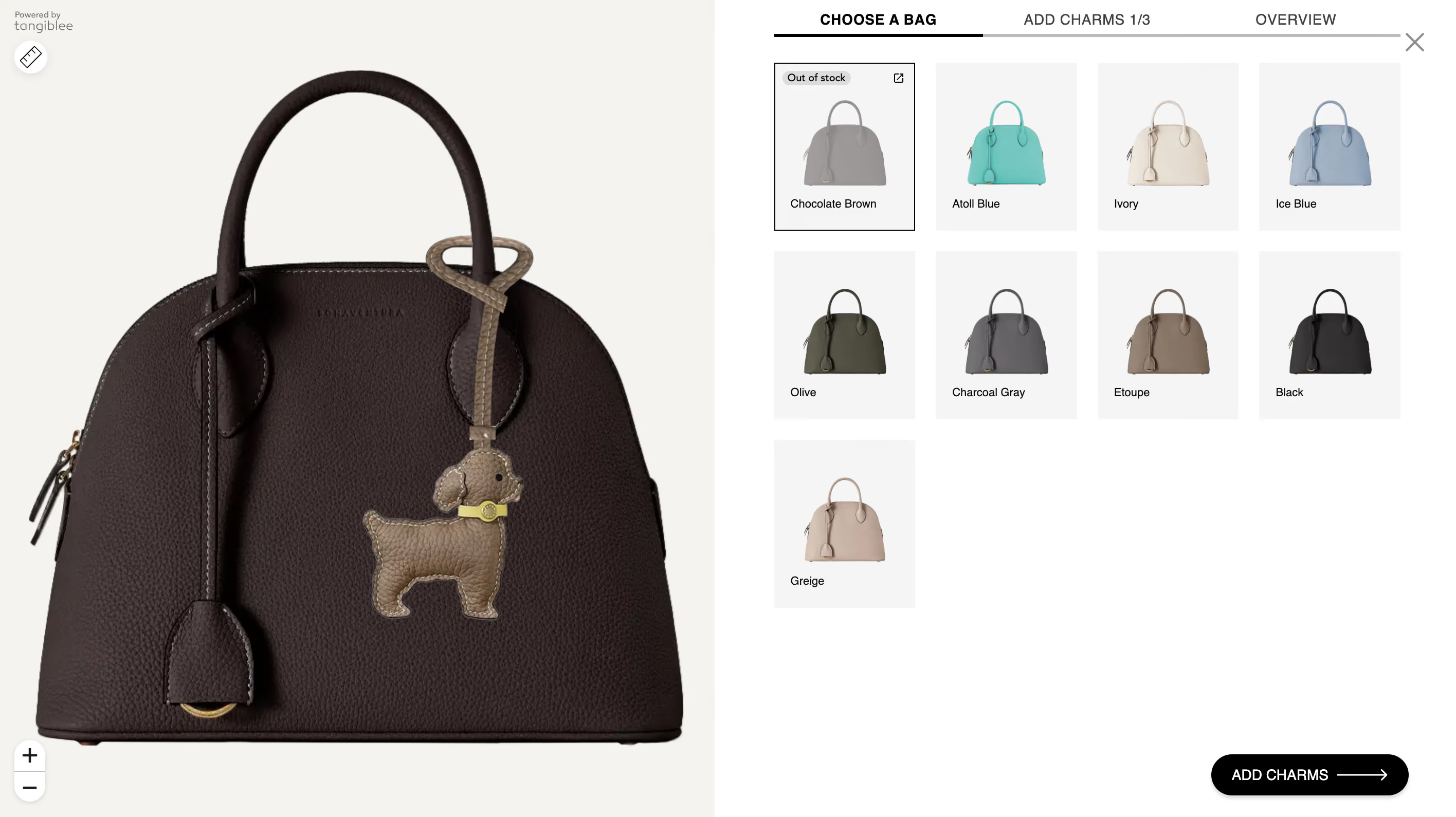
We’ve introduced support for Out of Stock items within LB4C. Products marked as OOS are now clearly indicated on thumbnails: users will see an “Out of Stock” label, a crossed-out color swatch, and reduced image opacity. Despite this, items can still be added to the scene, allowing users to visualize the full look with OOS items without limitations.
Goals
- Keeps users engaged by signaling that unavailable items may return
- Increases the likelihood of users coming back to the tool
- Improves experience for smaller catalogs by maintaining a sense of assortment even with limited in-stock inventory
This capability is enabled through the DataPipe team’s configuration and controlled via a feature flag.
 See it Live
New Feature: Build Your Set
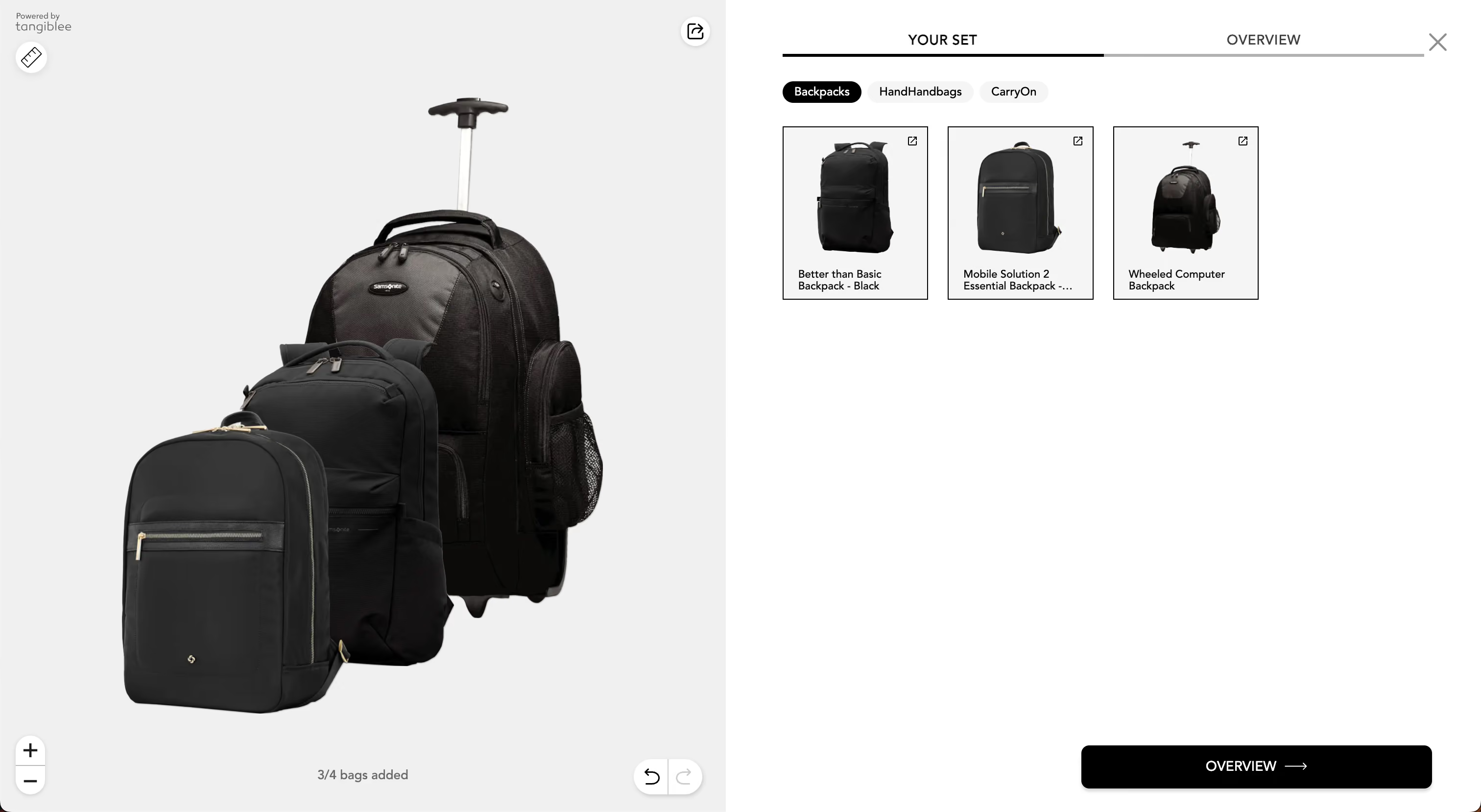
This feature lets customers add multiple bags (or anything else) on scene, mix and match, and create a set exactly to their liking. It's a perfect use case for clients offering bundle discounts, helping customers visualize and purchase complete sets.
- Available as a PLP (anchorless) and PDP (anchored) experience
- PLP: Serves as a fun exploration tool
- PDP: Acts as a "complete the set" feature
- We're flexible with categories configuration for the tool and a number of items on the scene
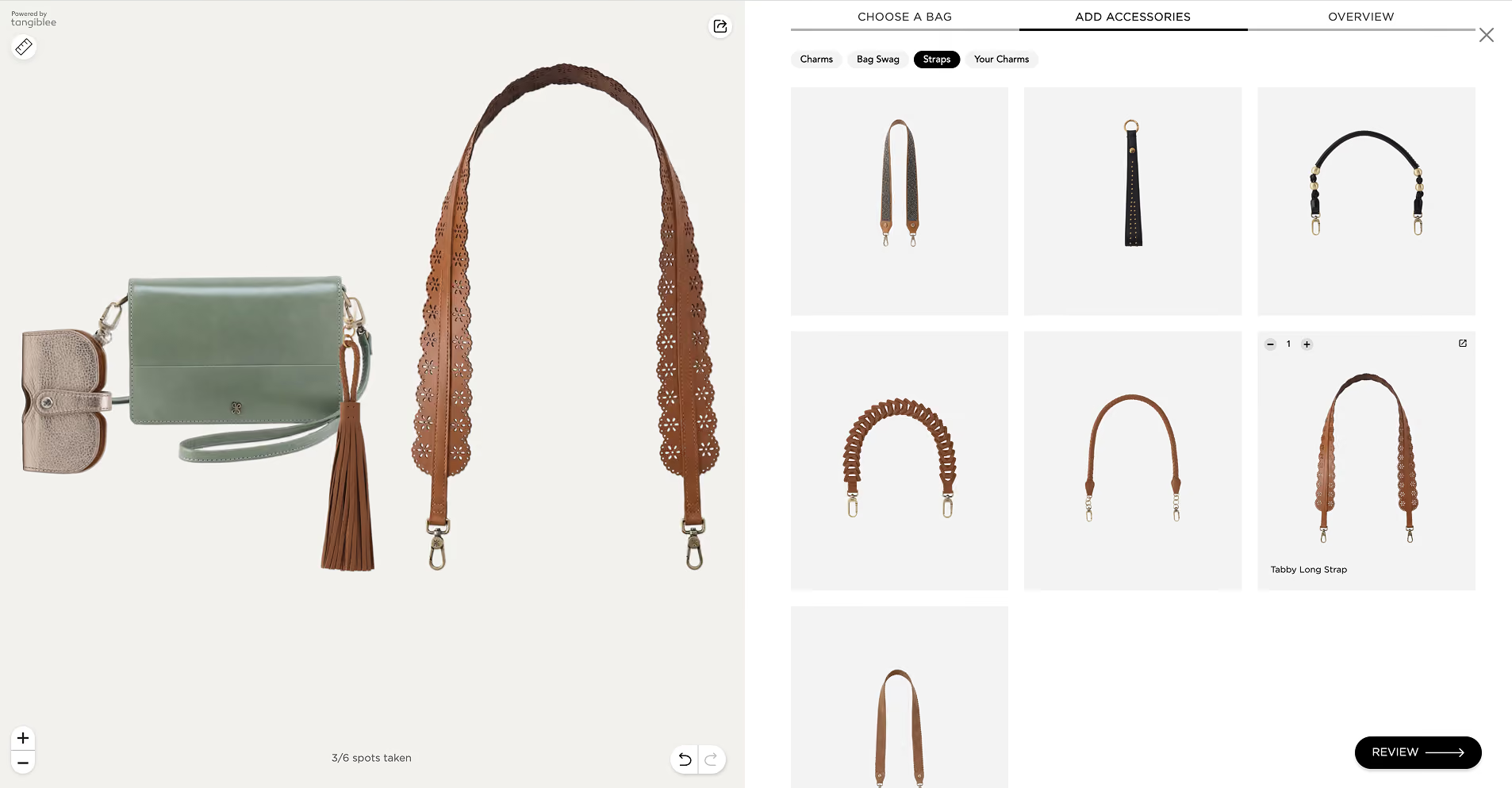
Additional Slots for Accessories in LB4C
AI-Powered VTO for Rings
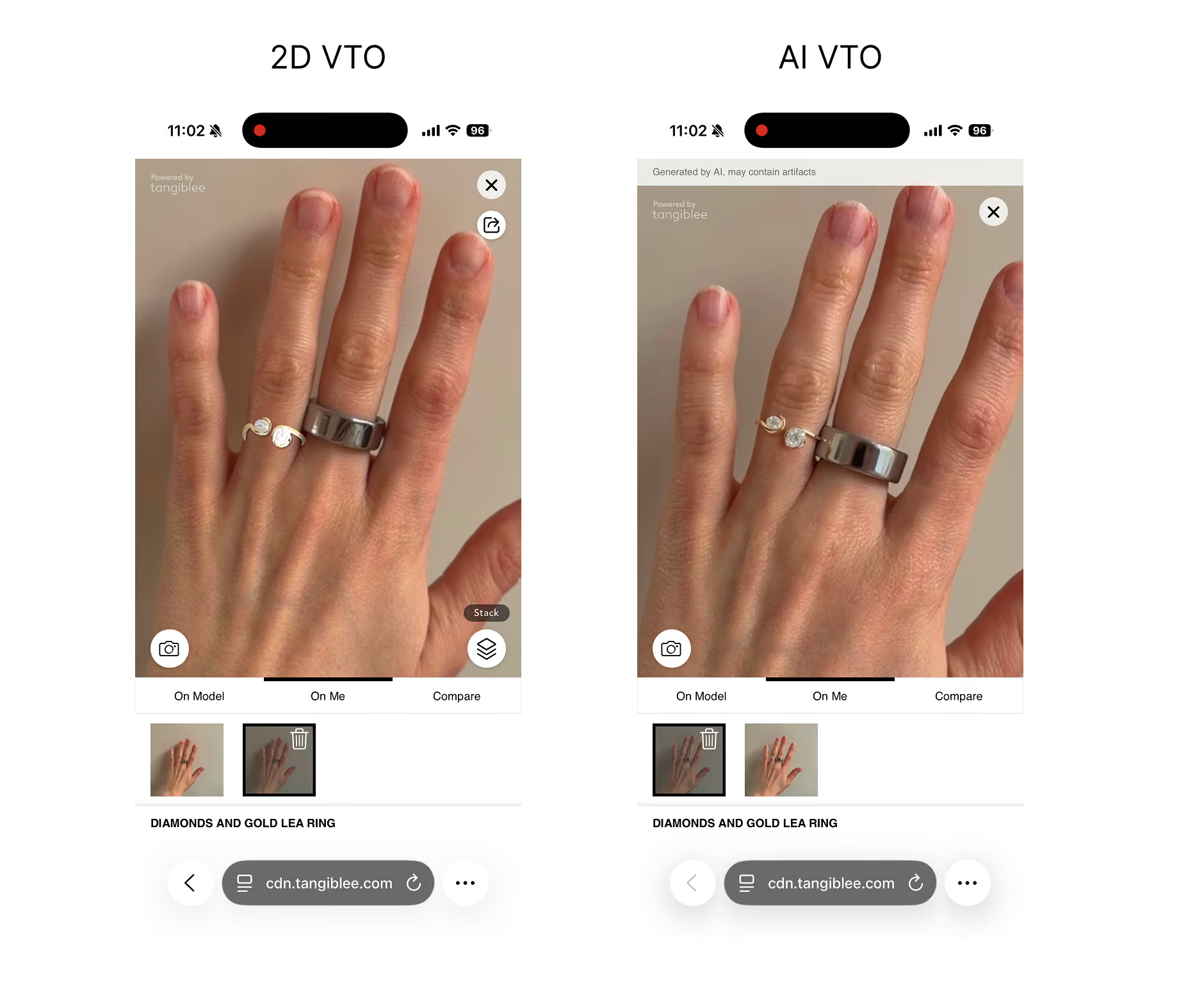
We've released AI-powered VTO for Rings - a photo-realistic and still scalable version of virtual try-on. This is an important step forward in improving the visual quality of our VTO while keeping the experience close to 2D VTO scalability.
Current limitations:
- Supports single-product try-on only
- Currently works for the ring finger
- Requires additional moderation by the AI / 3D QC team
LB4C Improvements Shipped Recently
Recent LB4C improvements:
- Size selector dropdown in overview for chains and charms (bridging the gap between LB and LB4C)
- Dynamic filtering per sub-menu tab — especially helpful for cases like engagement vs wedding rings
- Tags in mobile horizontal bottom sheet to differentiate visually similar products (e.g., size or finish)

Have a feature in mind?
We want to hear from you. Submit Tangiblee feature ideas that will help enhance your ecommerce business.