
Release Notes
Keep up with Tangiblee's latest product updates. Be the first to know when new releases go live.
LB4C: 2-Point Charm Support on Bags
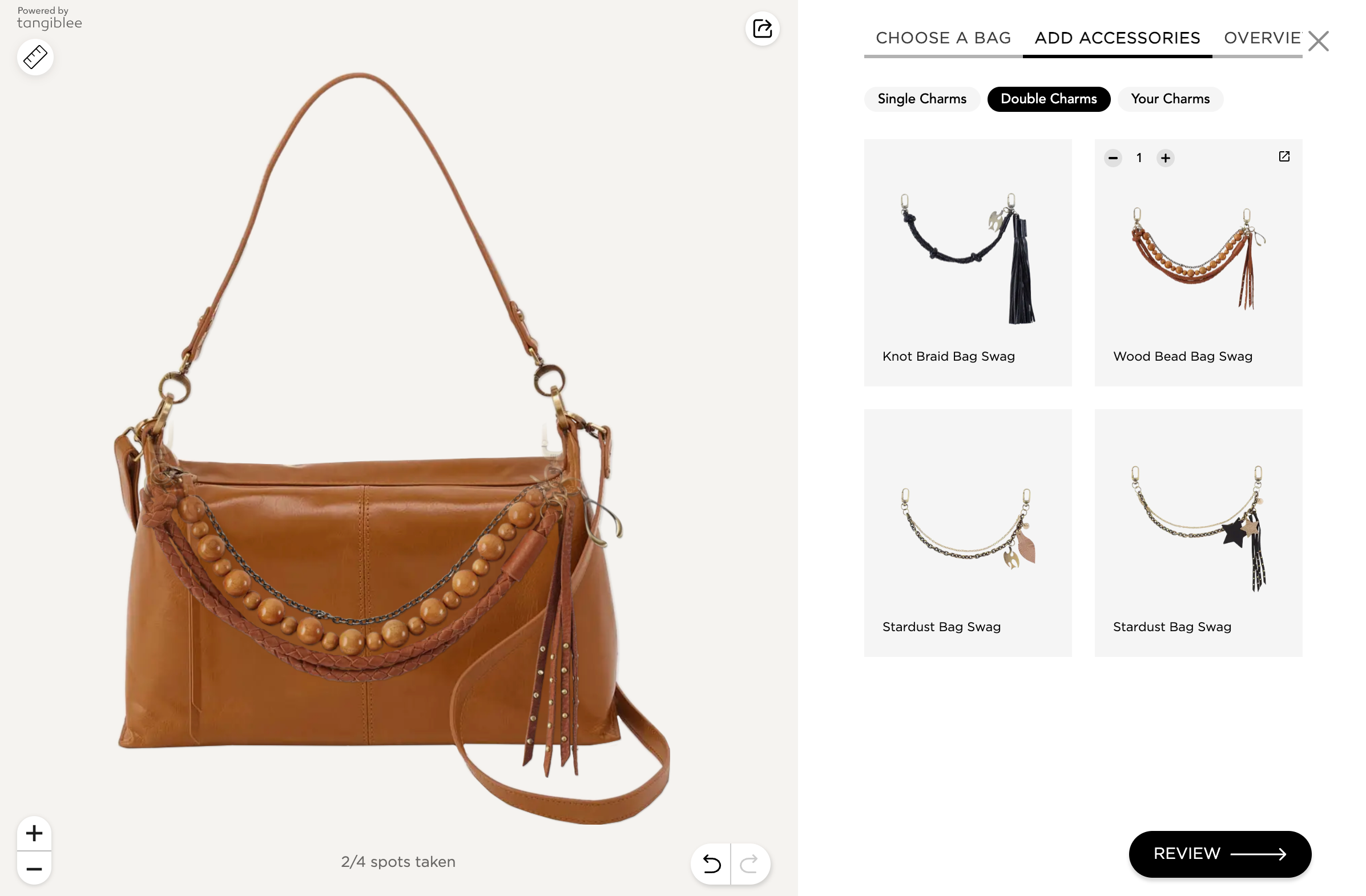
We've added support for 2-point / chain charms on bags in LB4C! Here's how it works:
- We mark up the chain charm and add two points on each side of the bag handle
- We calculate the distance between the bag's two points and match it against the charm length
- If it lines up (within ±15%), the charm snaps right onto the bag — if not, we mark it as "doesn't fit"
This means no more manual bag + chain charm matching, while unlocking a wider range of charm support across client catalogs.
VTO Earrings: Async Preload Optimization
.png)
VTO Clip: Remove High-Motion Animations
We can now configure VTO Clip to remove high-motion animations and select pop-up tooltips, improving comfort for shoppers with motion sensitivity and supporting accessibility best practices.
 See it Live
LB4C: On PDPs
Until now, LB4C for Bags has functioned as an anchorless experience. For PDPs, though, we want to avoid overwhelming users with an unlimited SKU list.
We can now auto-filter SKUs and display only those relevant to the PDP main SKU, its color and/or size variations, ensuring a focused experience.
Available for relevant PDPs


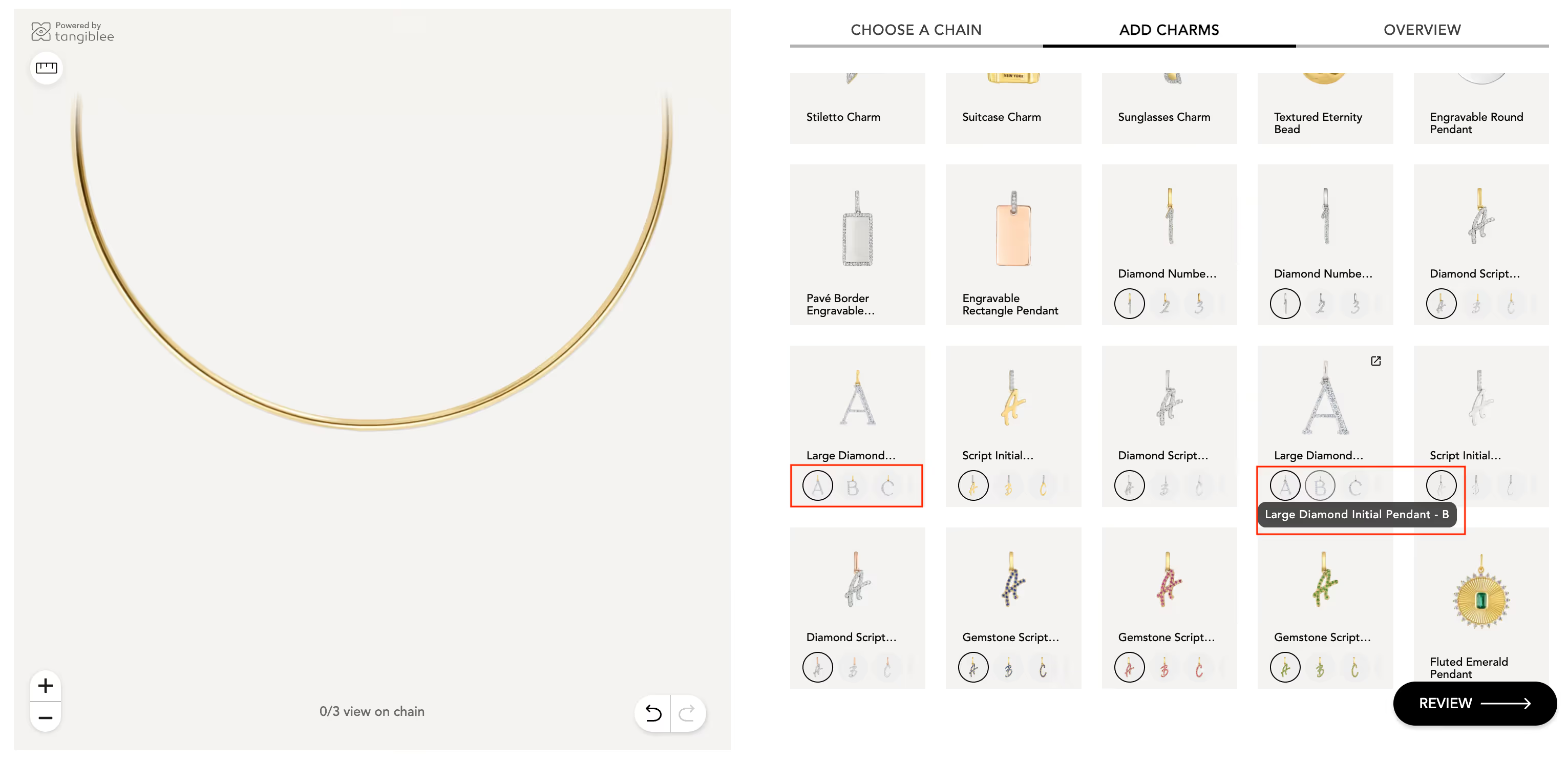
LB4C: Swatches – Product Image Covers, Grouping & Custom Sorting
Swatches now support product images as covers (not only HEX colors), enabling:
- Grouping multiple variations under one main thumbnail
- Easy switching between letters, numbers, zodiac, and similar sets via swatches
- Clear navigation using labels + variation titles
Sorting updates:
- Natural sorting for alphabet and numbers
- Custom sorting on request for color variations
- Gallery thumbnail sorting – define what appears on top vs bottom via rules
Offline Mobile Flow via QR Code
- Users scan a QR code from in-store physical banners
- Scan opens the Anchorless Tangiblee experience directly (no PDP)
- Users can try on and swap watches
- From the experience, users are redirected to PDP to proceed to checkout
- Entry is collection-based (collection changes monthly)
This is our first offline-to-mobile experiment using QR as the main entry point.
Improvement to Sketches for Device Fit
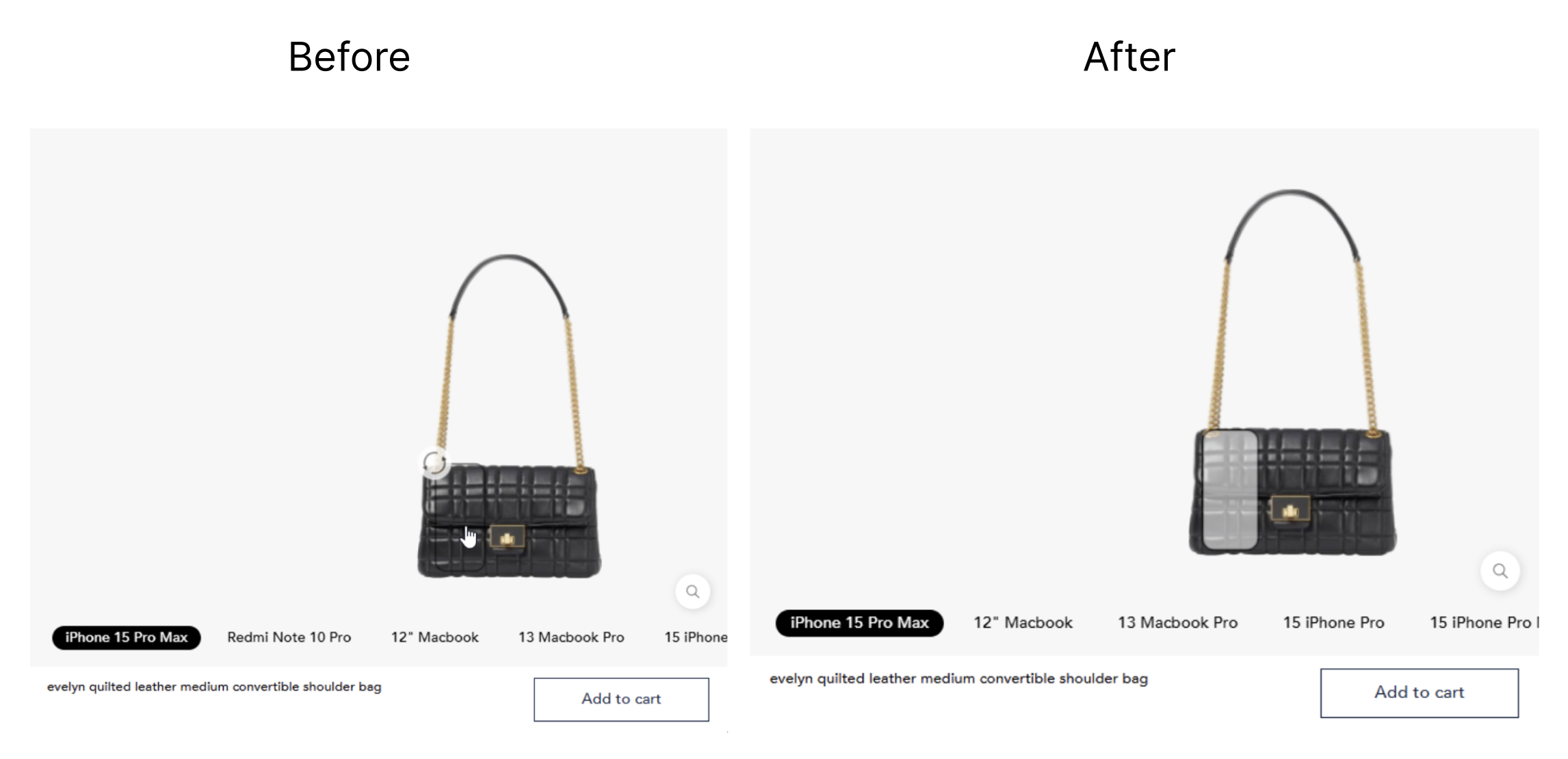
When searching for a new device and adding it to the scene, it appears in a sketch format. Previously the sketch was only outlined, making it difficult to see and move when overlaping the product.
We've improved the visual rules applied to the device sketch, ensuring items are always visible and dragged.
 See it Live
VTO for Christmas Decorations: 2 Items on Scene
In the VTO feature for Christmas Decor, customers can now select 2 or more products to visualize them in their space. Items appear in pre-assigned spots, but users can freely drag and reposition them as they prefer.
 See it Live
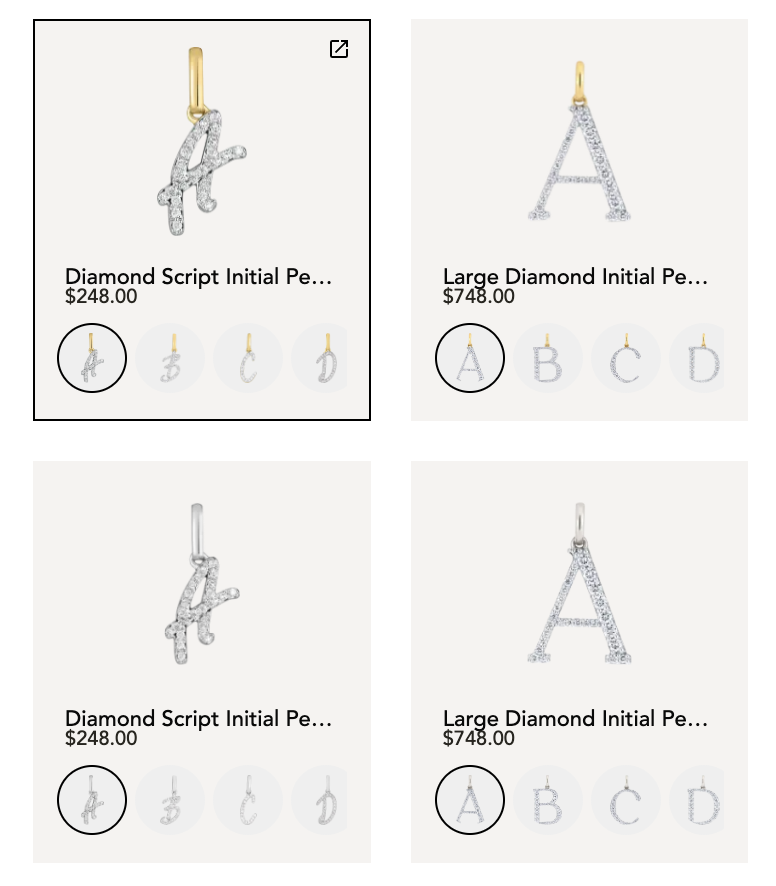
Images and Labels for Swatches in LB4C
Have a feature in mind?
We want to hear from you. Submit Tangiblee feature ideas that will help enhance your ecommerce business.