
Release Notes
Keep up with Tangiblee's latest product updates. Be the first to know when new releases go live.
Earring VTO: Ongoing Video Flow Improvements
New:
We’ve continued iterating on the earring video capture flow — recent updates include:
- A rotating arrow to guide users during head rotation.
- Removal of the capture button in auto mode for a smoother, hands-free experience.
 See it Live
Find My Wrist Size
Find My Wrist Size is live 🎉
FMWS lets shoppers measure their wrist to pick the right bracelet size.
See it LiveCompare: Support 90, 180 Angled Projections
New:
We now support 90° and 180° product projections in Compare across all jewelry categories. On request, products can be displayed and compared at different angles.
Catalog items and Recently Viewed items auto-rotate to the same angle, ensuring side-by-side views stay aligned and accurate.
.avif) Test It Out
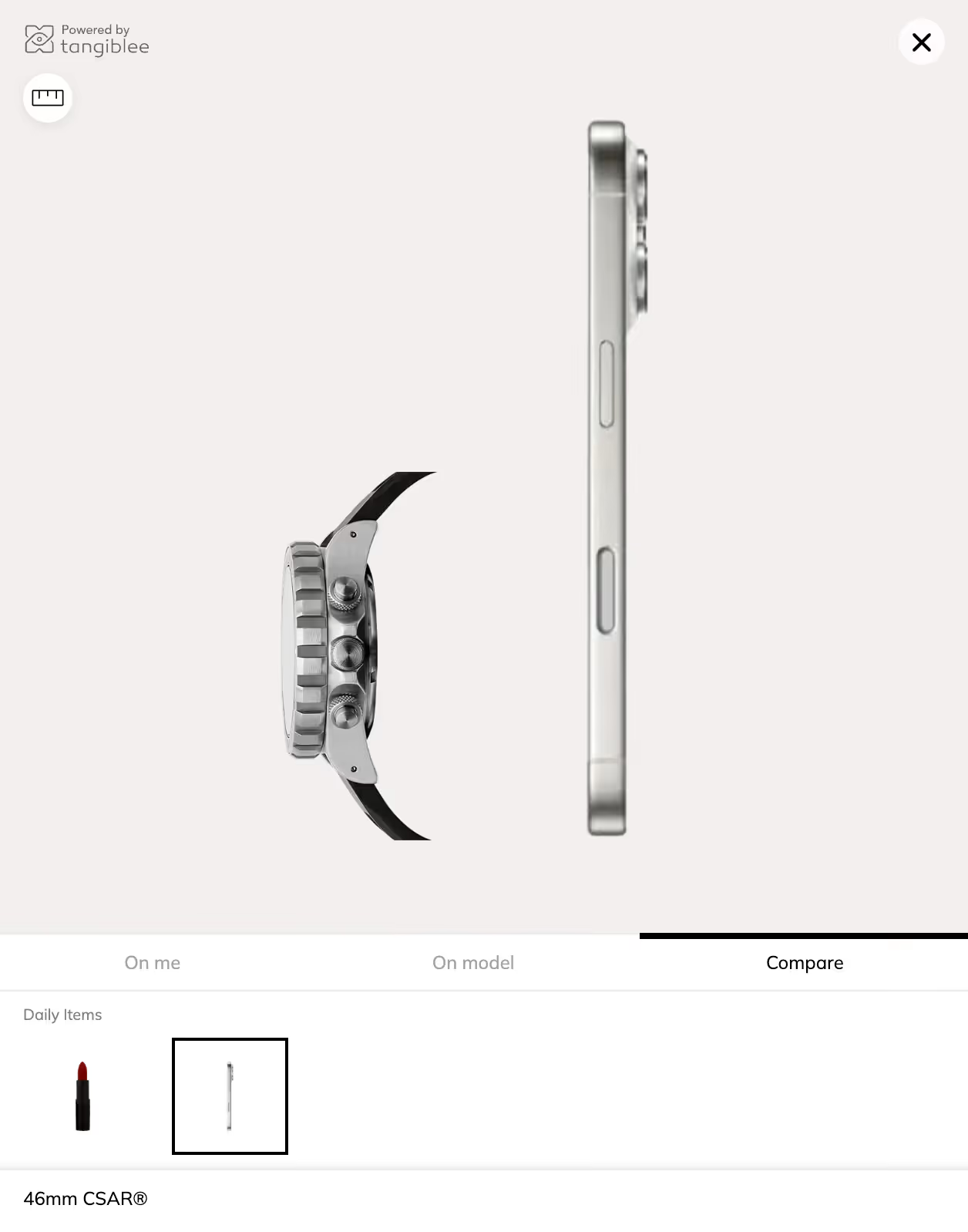
Test It OutCompare: Side Watch View
New:
We’ve introduced Side View Comparison for watches — helping shoppers understand the thickness of the watch body directly in the Compare experience by dragging the watch over the reference item. This makes it easier to evaluate how different models feel on the wrist and helps reduce returns due to unexpected watch thickness.
Next milestones:
Add additional side-view projection types to further enhance dimensional understanding.
 Test it Out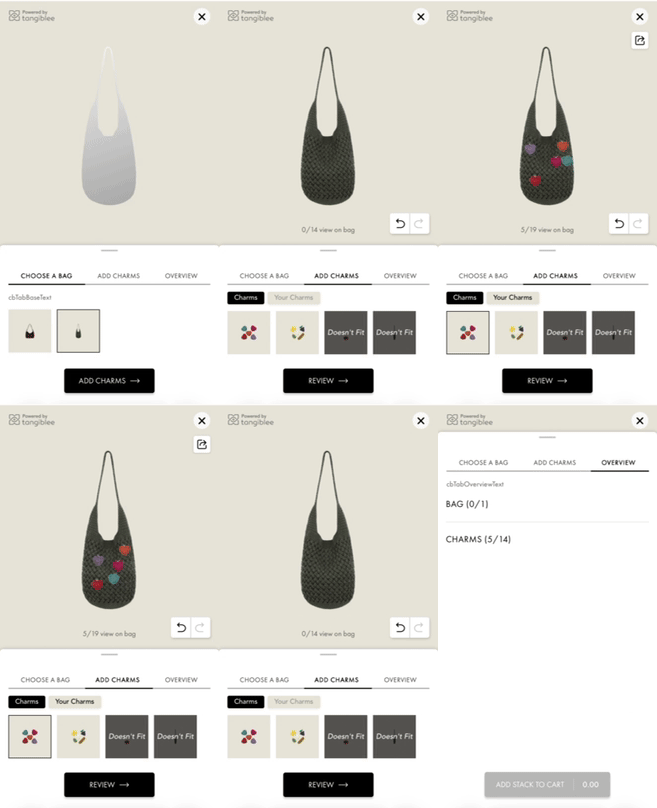
LB4C: Discounts Support
LB & LB4C – Discounts for Stacks
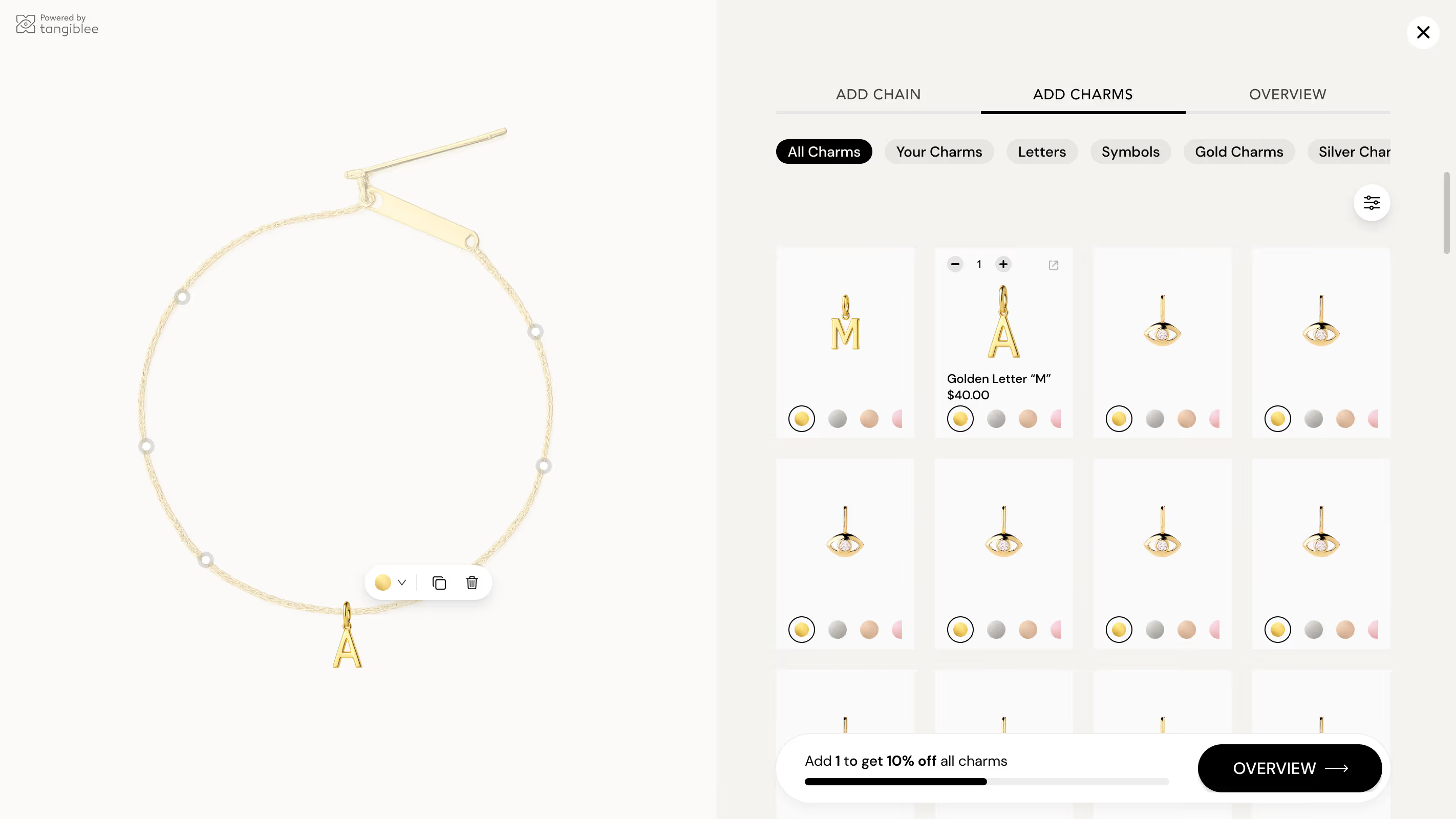
- Percentage-based discounts are now supported in both LookBuilder and CharmBuilder.
- Discounts trigger once a stack size threshold is met and apply to the whole stack, even if more items are added.
- Users are prompted to reach the threshold at any step of the journey in order to receive the discount.
- Discount logic is controlled via feature flag (threshold + %).
VTO Clip: Wedding Ring Stacking
VTO: QR code screen update
We’ve updated the VTO QR code screen on Desktop by removing the animation and updating the icon as a step toward making it ADA compliant.
 See it Live
LB4C: Multi-Layer Charm Builder
Before:
- 2 layers in the Charm Builder: Chain → Charms
New:
- Introduced support for multiple layers in Charm Builder:
- → Chain → Clasp → Charms.
- MVP supports 3 layers with the ability to set restrictions (e.g., a charm can only be added after adding a clasp).
- Example visuals attached.
Why it matters:
- Opens the way for brands that allow freeform stacking and more complex jewelry builds.
- Adds flexibility for both creative styling and stricter brand logic.
Next milestones:
- Extend support beyond 3 layers → unlimited stacking.
- Enhance interaction logic for dragging, swapping, removing across different layers.
- Iterate UX flows to ensure smooth handling of complex builds.

Have a feature in mind?
We want to hear from you. Submit Tangiblee feature ideas that will help enhance your ecommerce business.